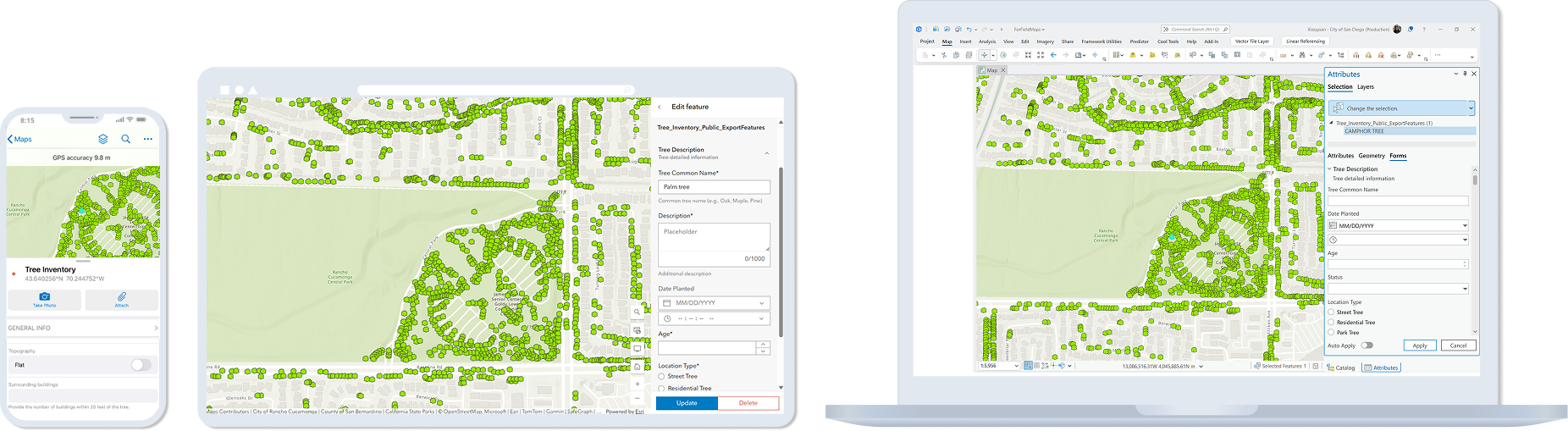
Cross-platform Mapping Systems
Connecting spatial editing workflows across desktop, web, and mobile platforms.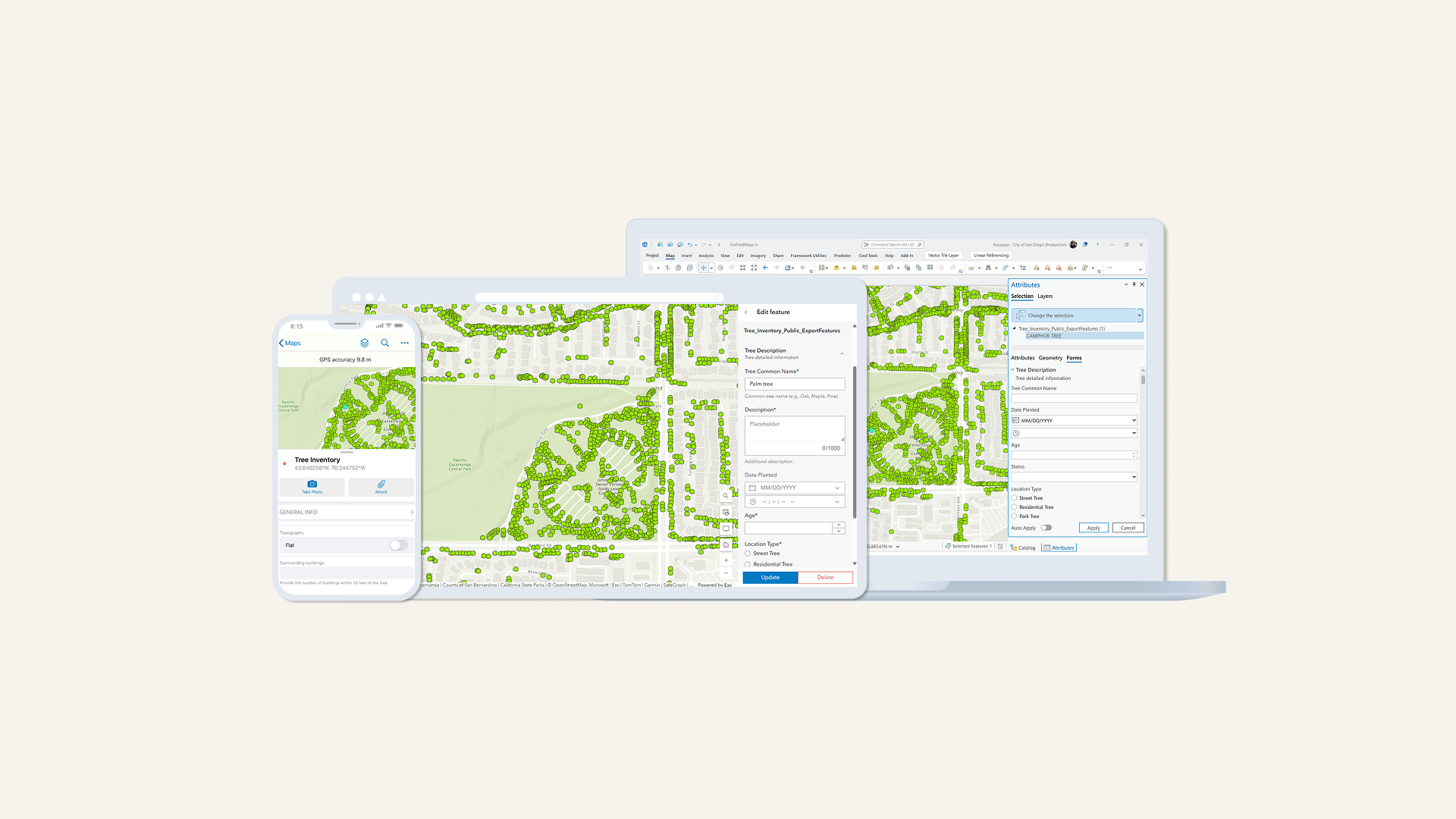
RoleProduct Designer
ScopeWorkflow research • Smart Forms • Editing Systems
CollaborationCore Editing • Framework • Field Maps Web & Mobile
Timeline2025-Present
FocusCross-platform editing systems
Organizations using ArcGIS manage and edit shared spatial data across desktop, web, and mobile applications. As workflows expanded across platforms and teams, editing experiences became increasingly fragmented across the ecosystem.
This project explored how shared editing workflows and configurations could become more connected through Feature Services and cross-platform editing systems.
My RoleBringing system through design
I worked across desktop, web, mobile, and framework teams to help connect editing workflows across the ArcGIS ecosystem.
This included:
leading workflow research
mapping platform relationships
identifying ecosystem gaps
defining cross-platform behaviors
designing desktop integration patterns for ArcGIS Pro
The ProblemShared data did not create shared experiences
Organizations manage and edit shared spatial data across multiple applications and teams.
As editing workflows expanded across desktop, web, and mobile environments, experiences became increasingly fragmented across the ecosystem.
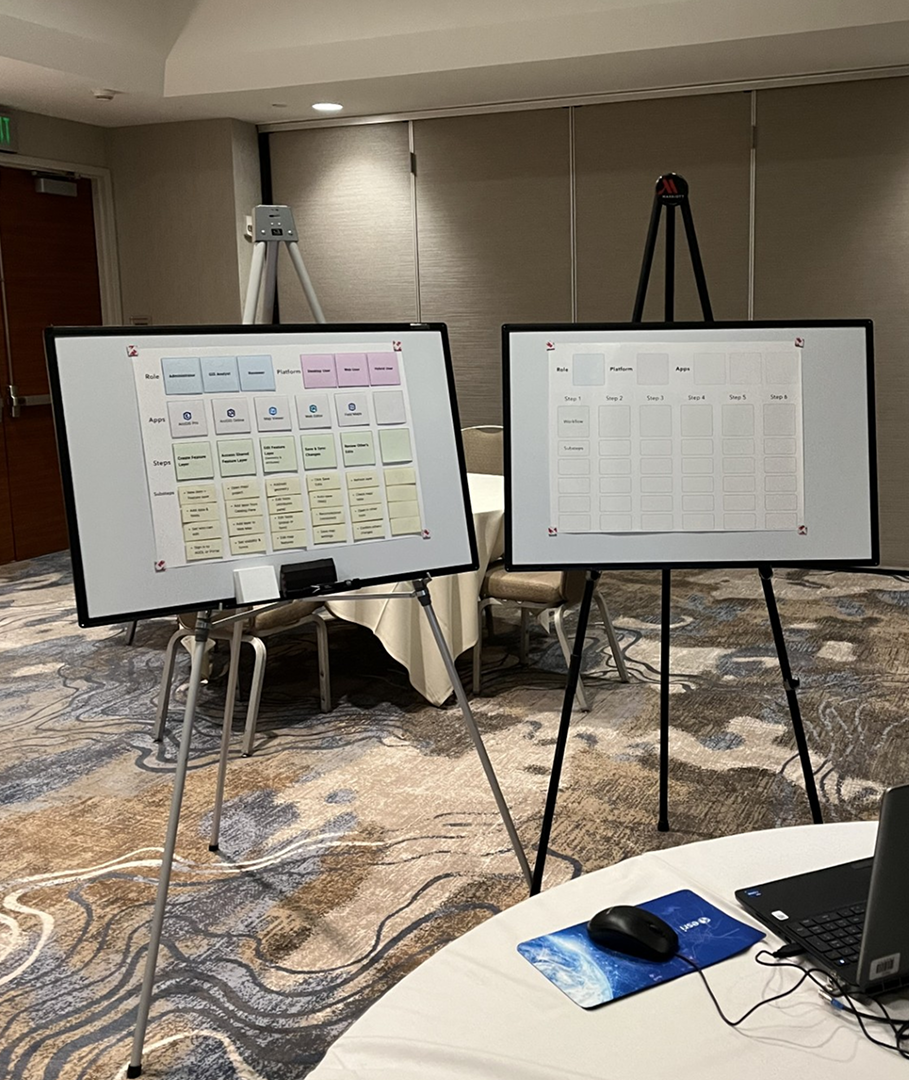
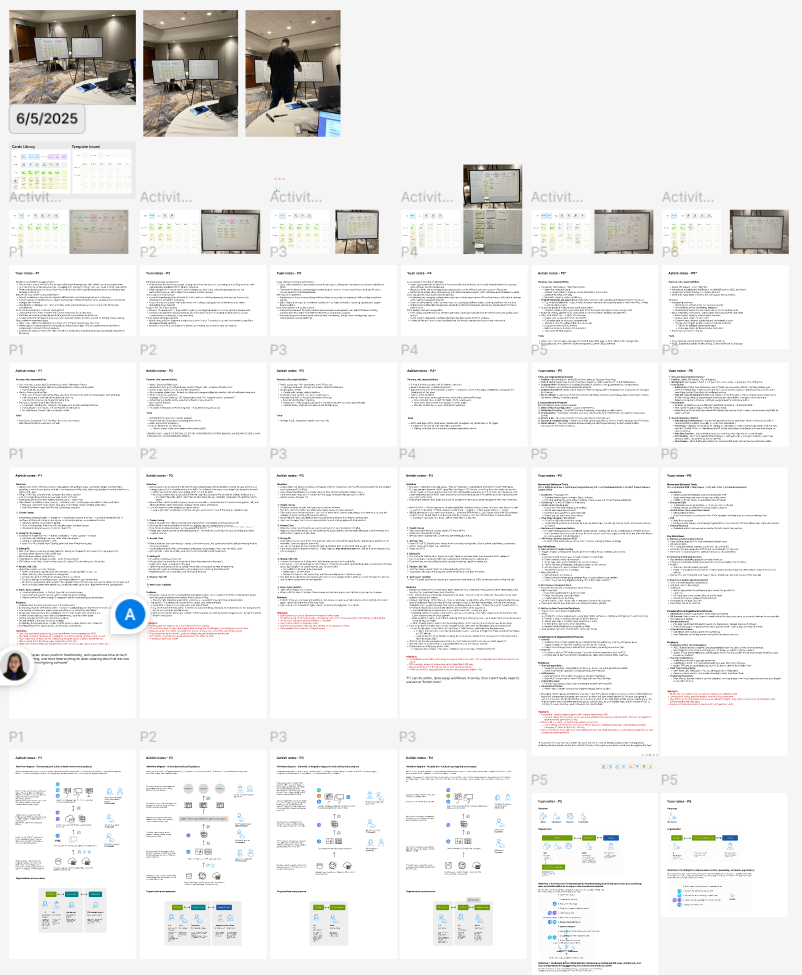
Cross-Platform Workflow ResearchUnderstanding the workflow across platforms
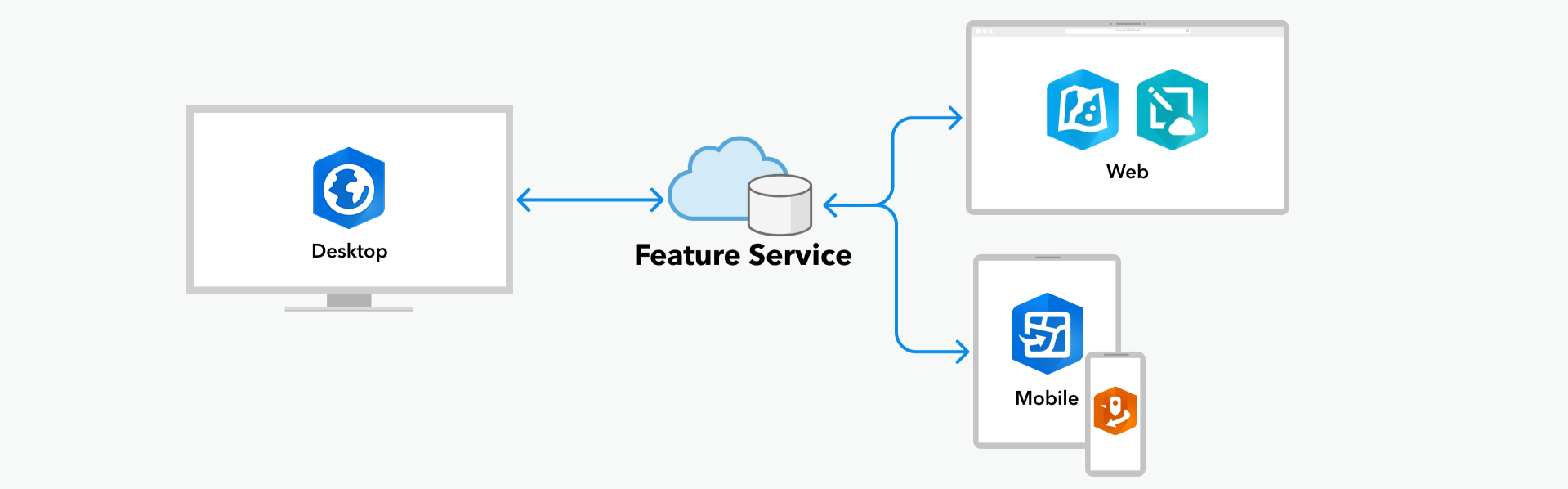
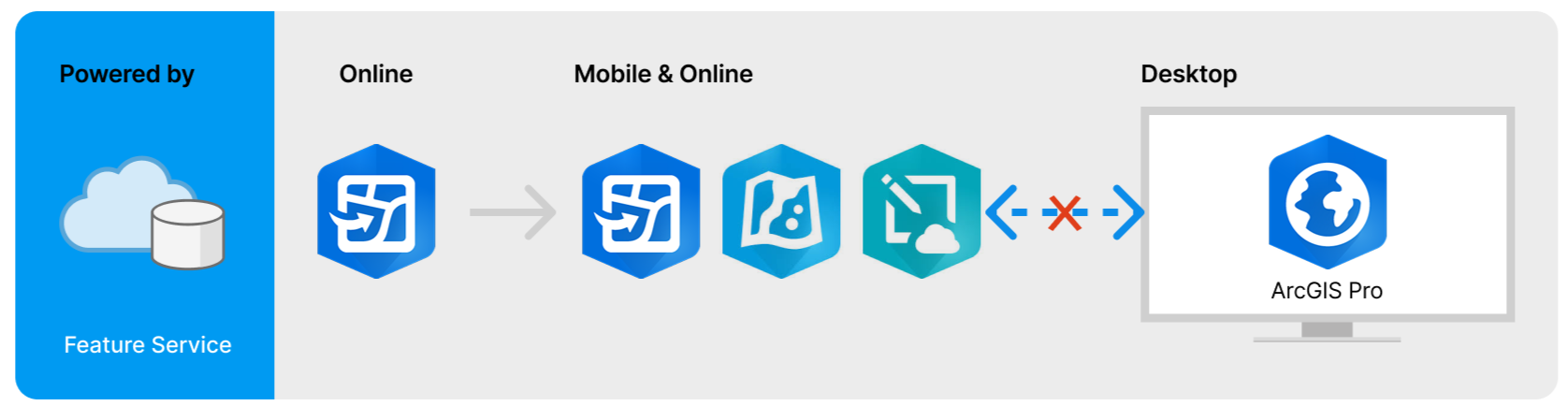
Editing workflows span multiple platforms and are powered by Feature Services.
The research focused on understanding how users move across systems — not how individual applications work in isolation.
Key Insight
Users think in workflows, not products.
Shared data created technical connectivity, but not workflow continuity across platforms.
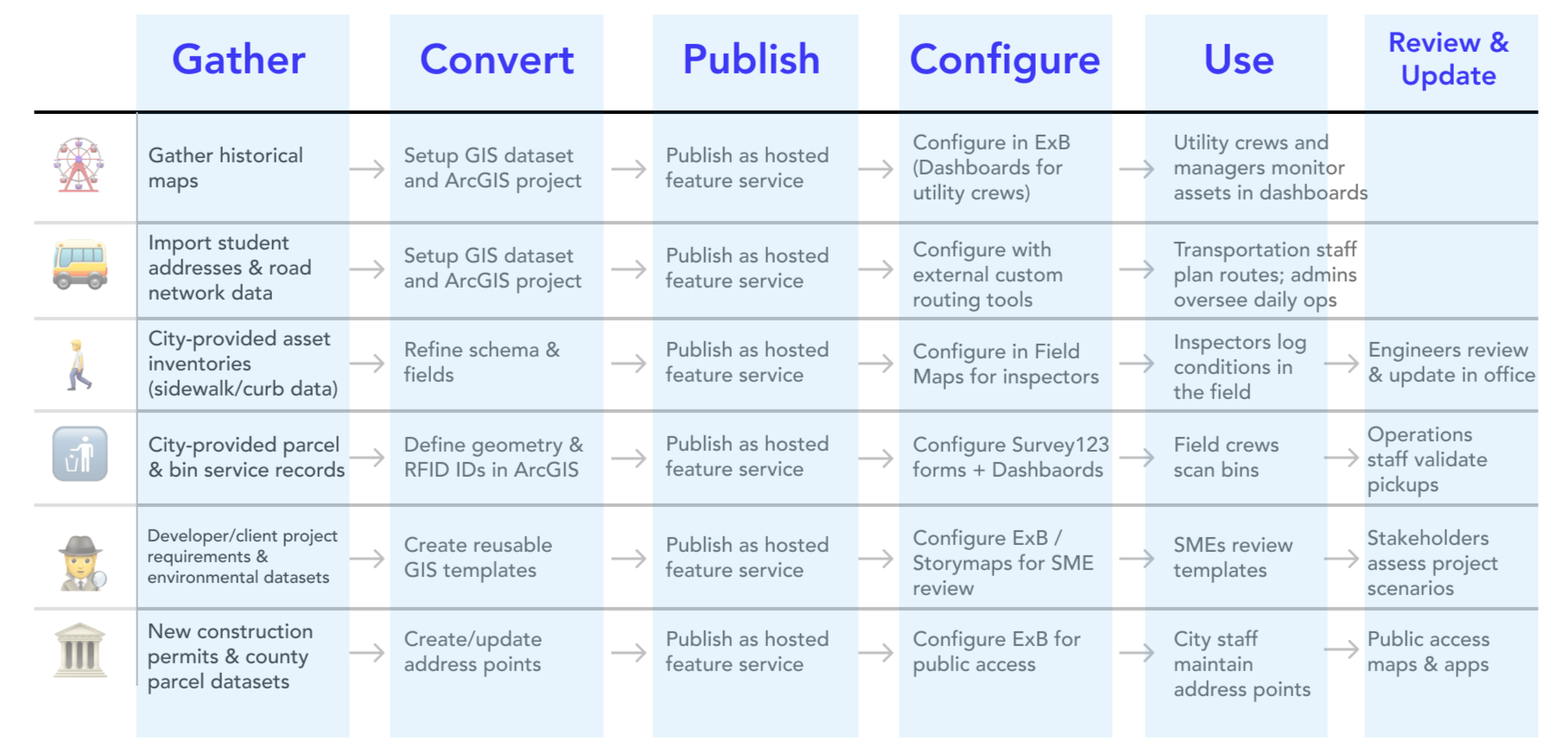
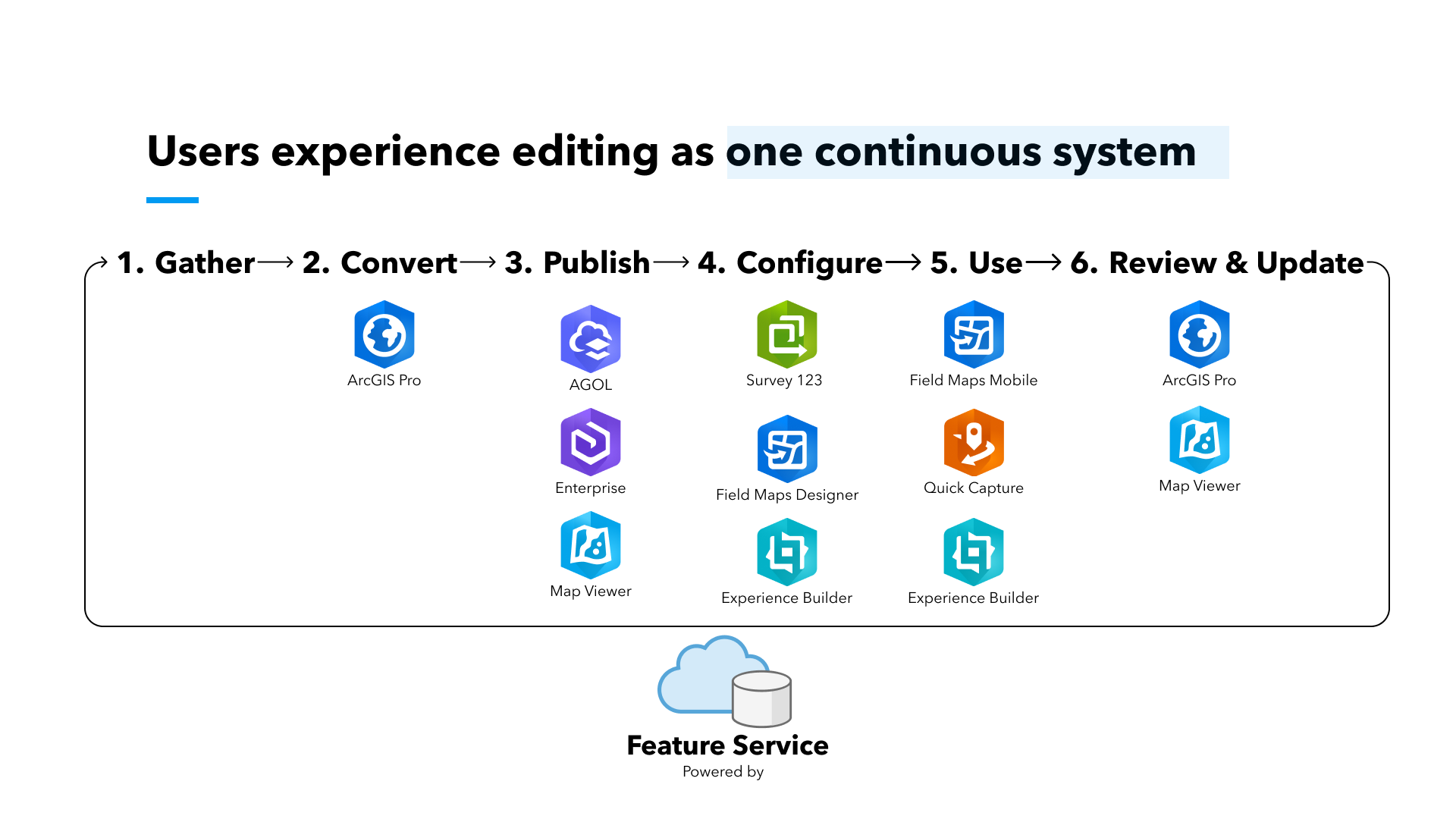
Mapping the SystemVisualizing relationships across platforms
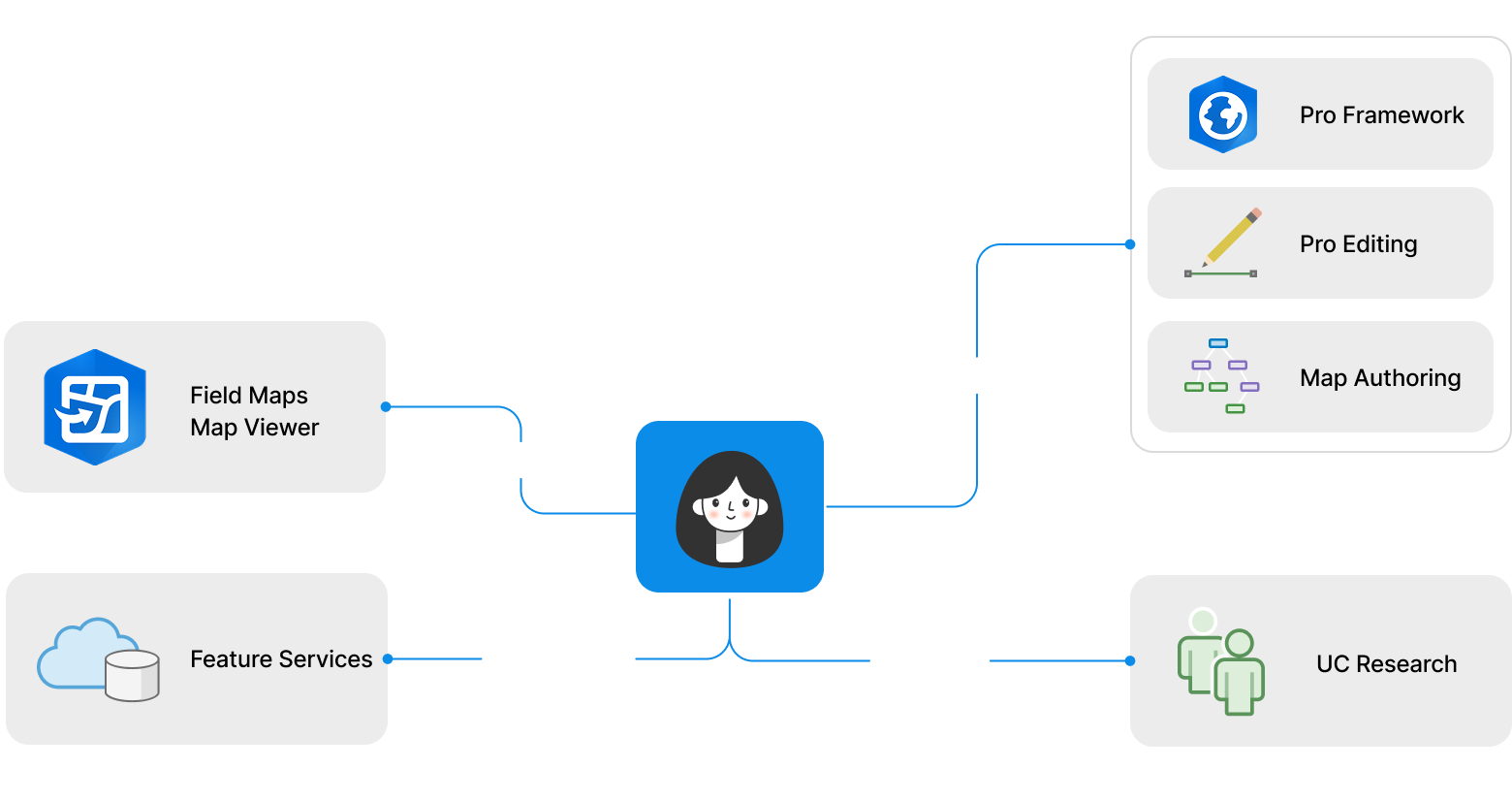
I mapped how editing workflows, configuration layers, and shared services connected across the ArcGIS ecosystem.
Identifying the GapA missing cross-platform experience
One major gap emerged during the research:
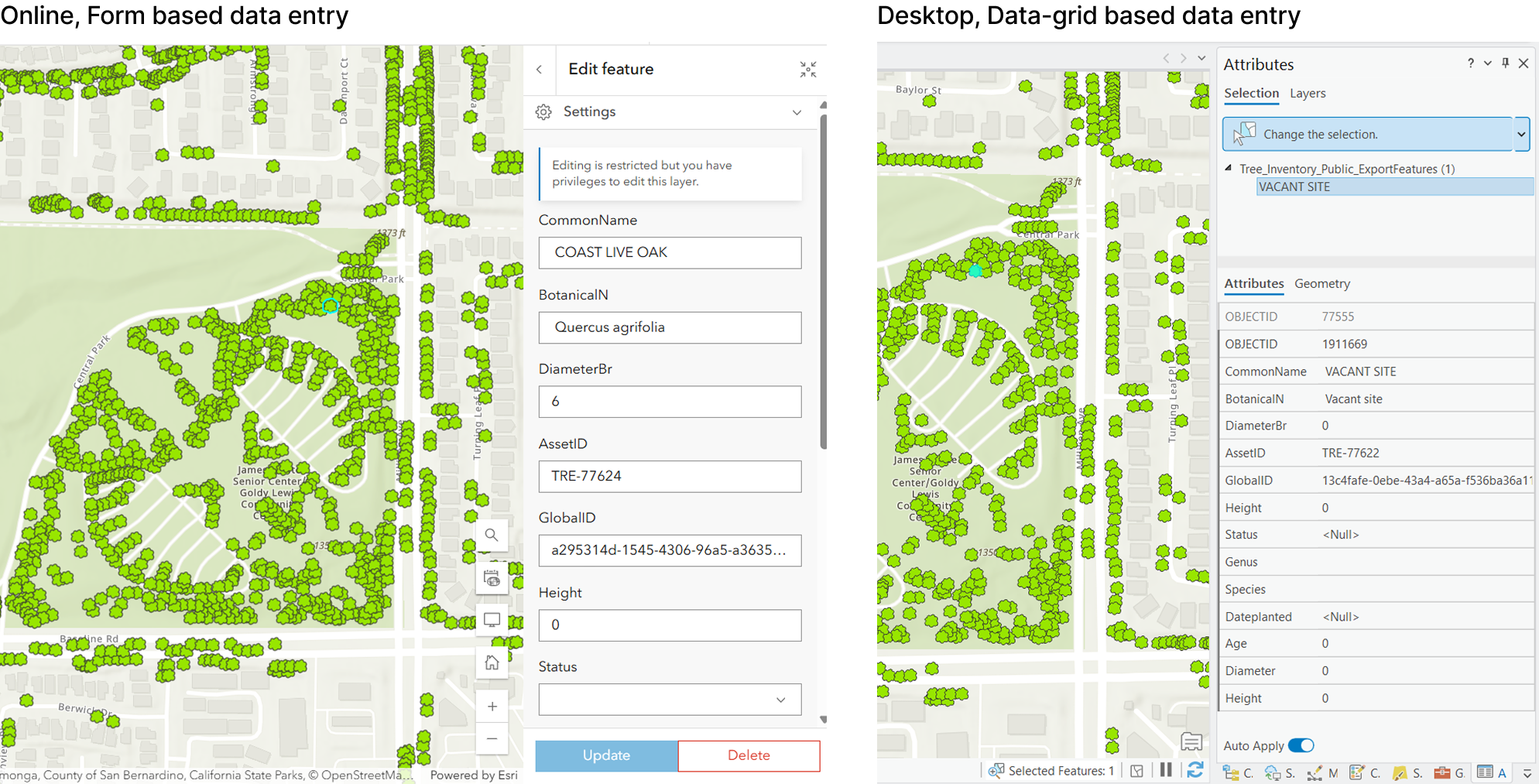
Smart Forms configured in web and mobile workflows were not fully supported in the desktop editing experience.
This created inconsistencies in:
data entry
editing behavior
validation logic
workflow continuity
Designing the Cross-Platform SystemBuilding a shared editing experience
To bring the experience across platforms together, I structured the work into three system layers:
Tier 1 Cross-System Semantics
Understanding the meaning behind forms across platforms.
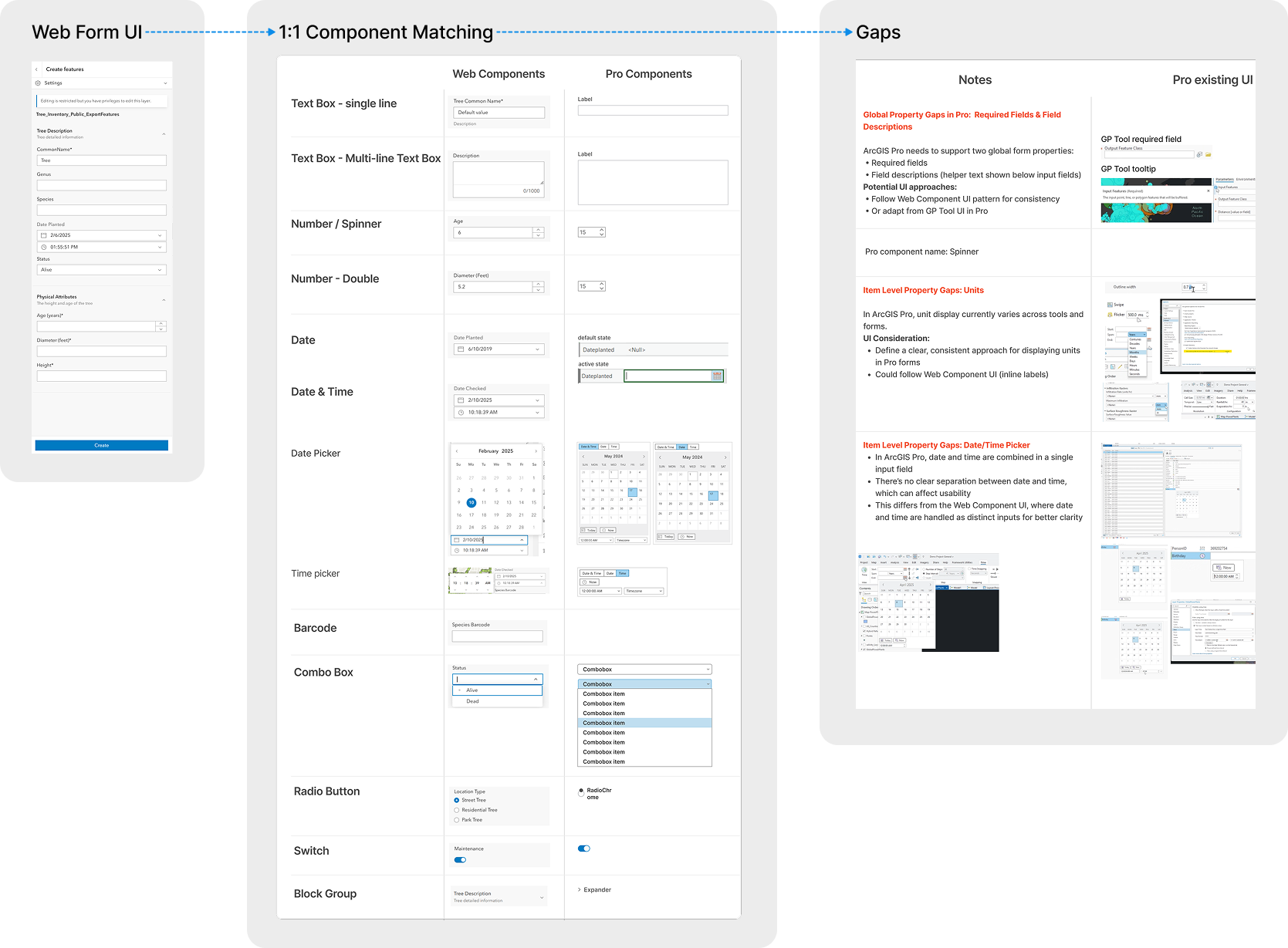
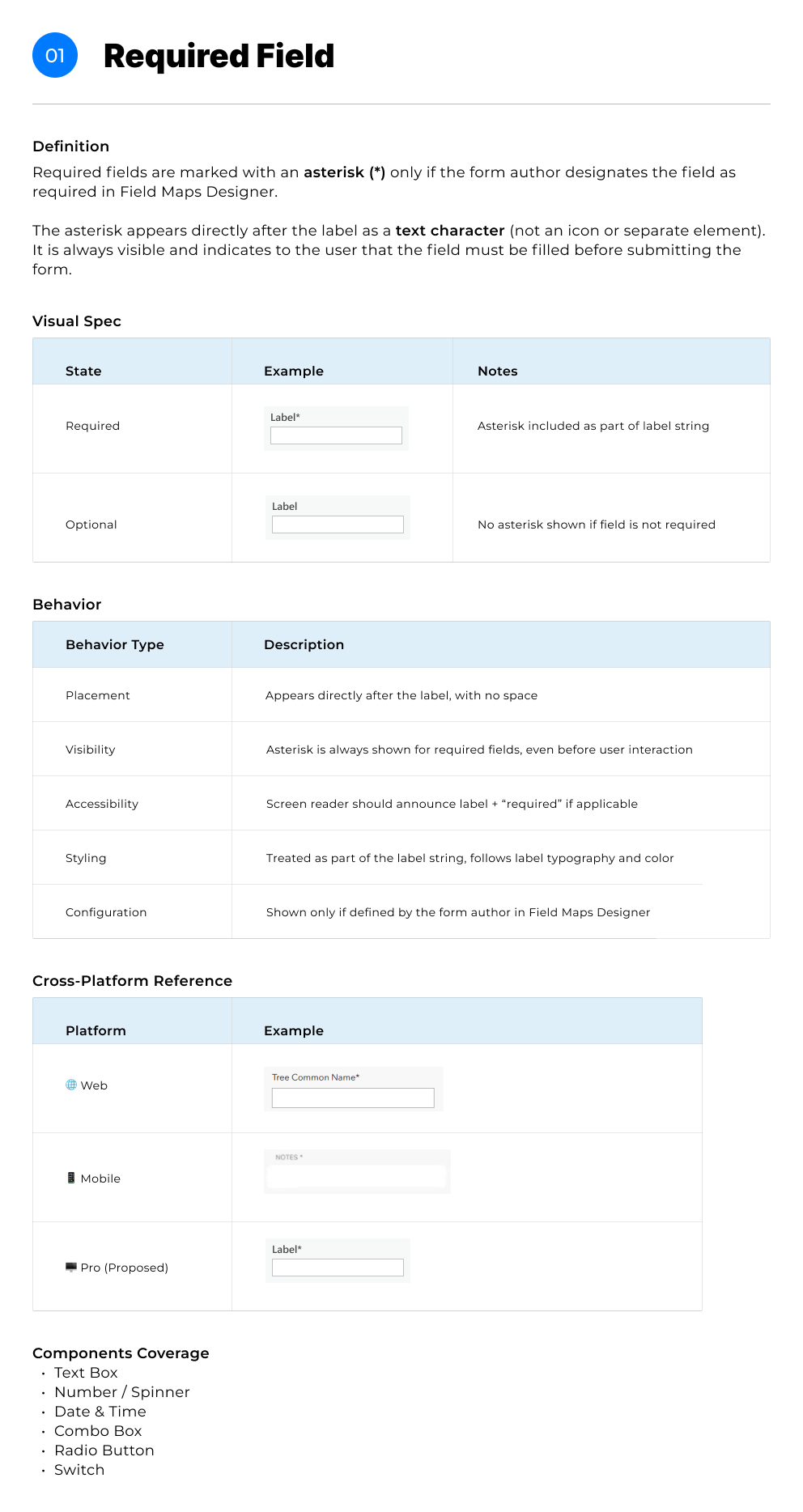
Audited Smart Forms behaviors across web, mobile, and desktop
Mapped mismatches in structure, terminology, and data relationships
Defined shared concepts across systems
Tier 2 Behavior Logic
Defining what should happen and when.
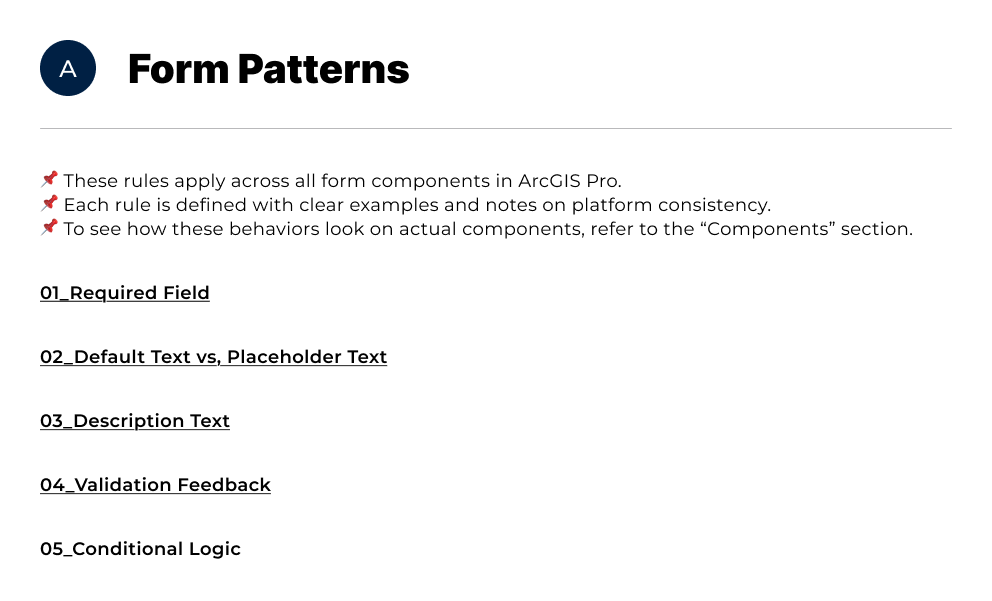
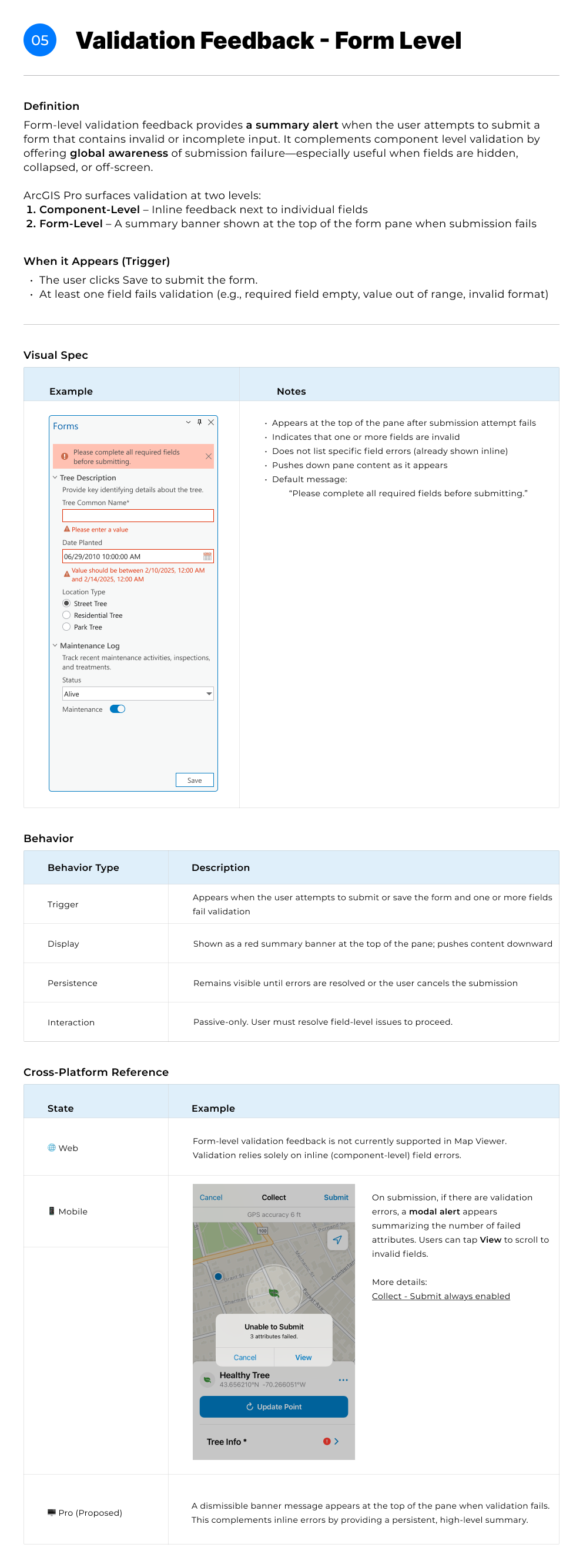
Defined validation behaviors
Mapped conditional visibility logic
Aligned editing behaviors with desktop workflows
Tier 3 Interface System
Showing the experience in the right place and the right way.
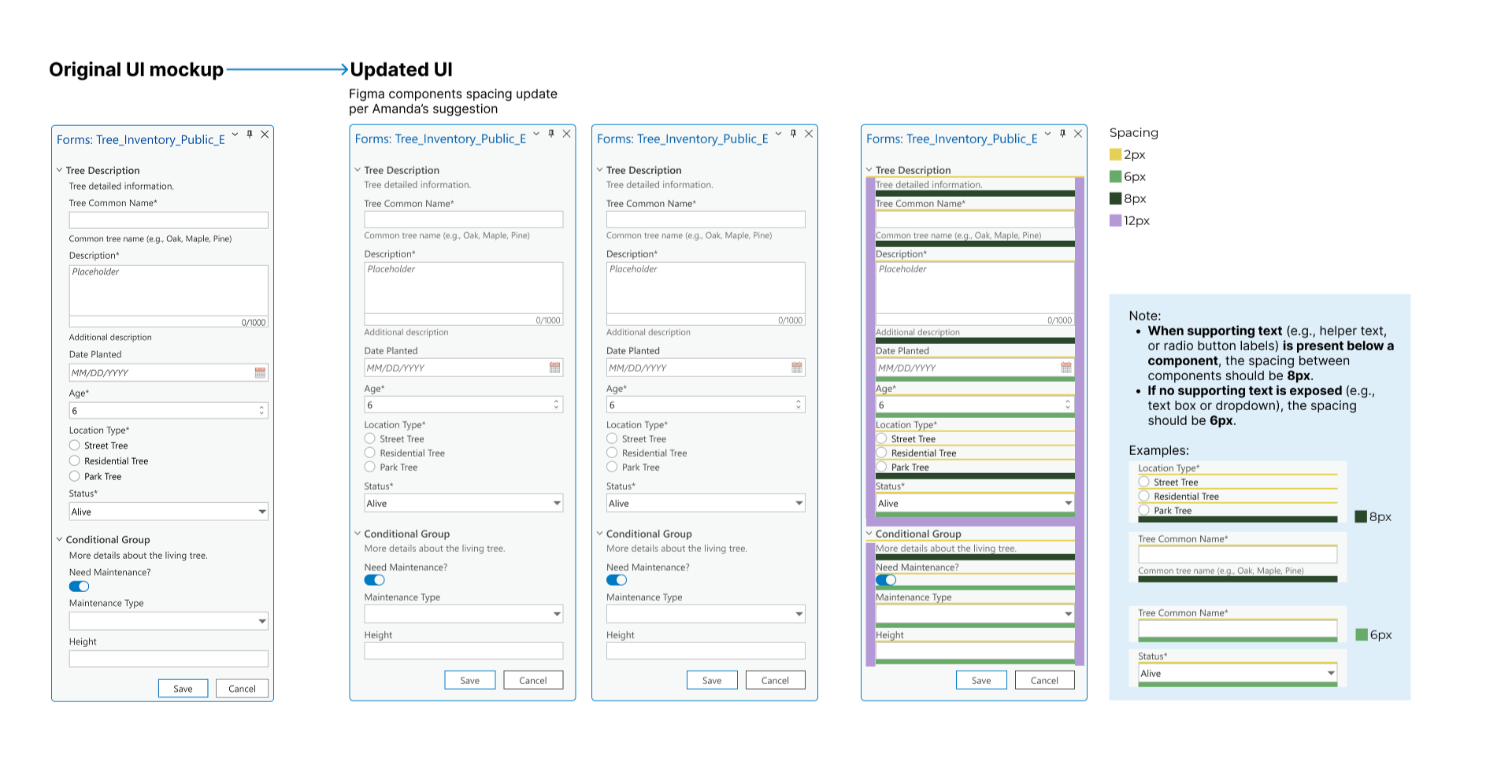
Designed native Pro form components
Integrated forms into editing workflows and attribute panes
Collaborated with Framework and Editing teams on implementation
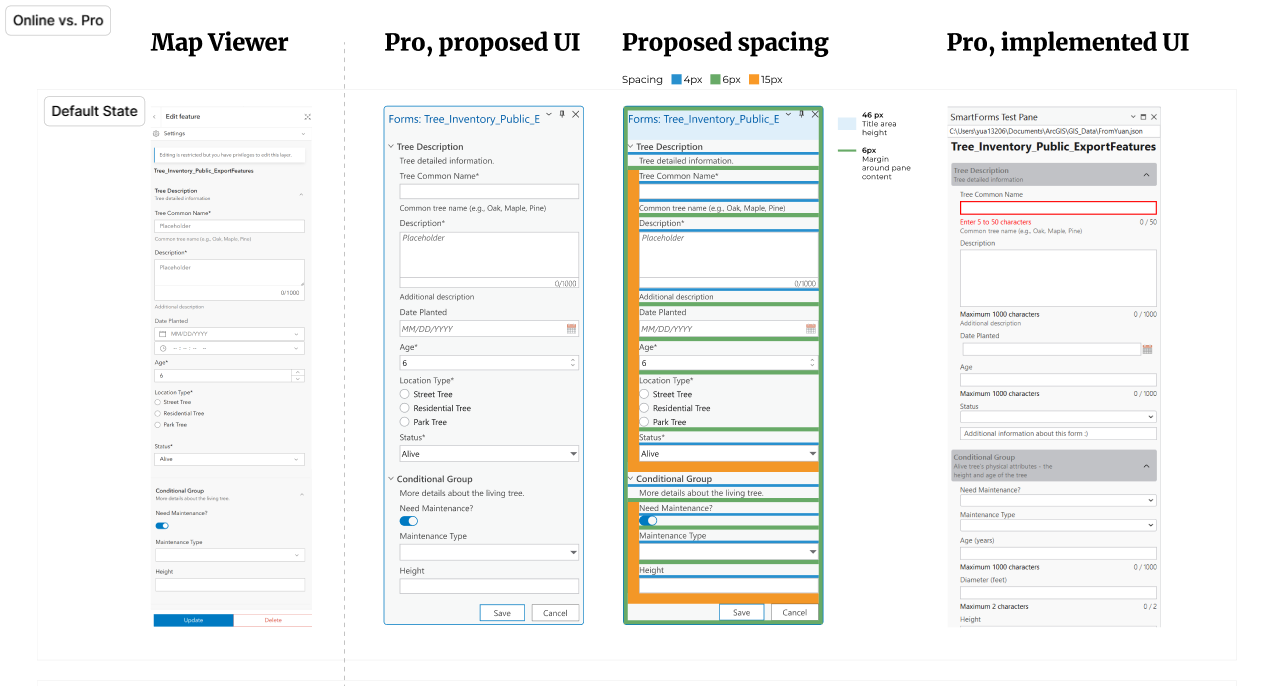
Before: Data-grid based data entry
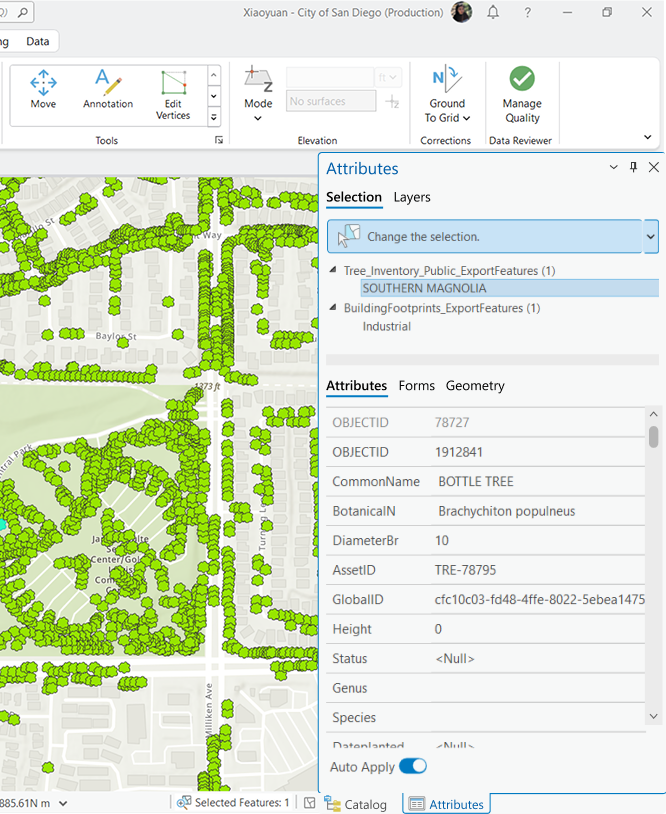
After: Form based data entry
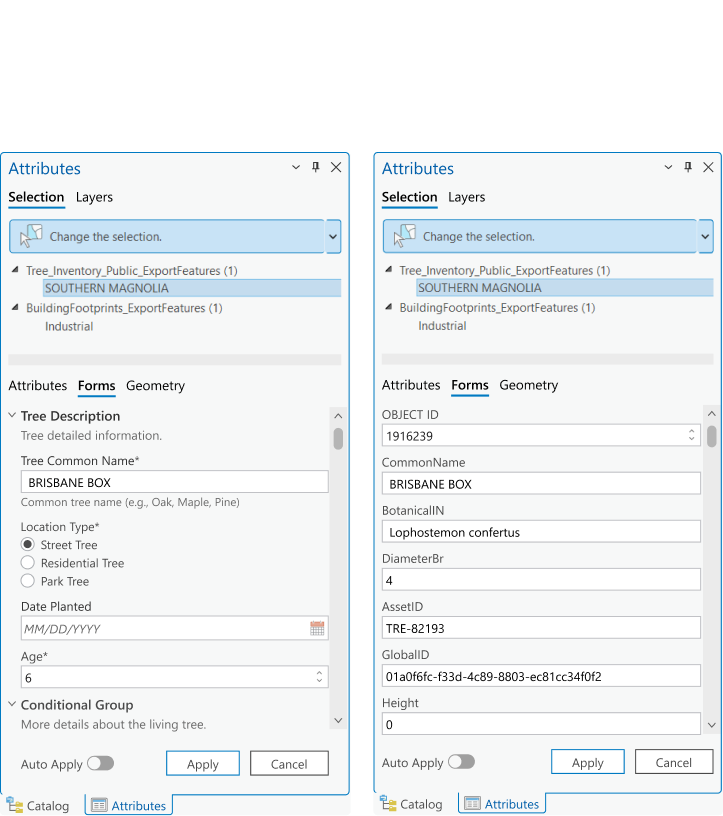
OutcomeCross-platform alignment
The project helped establish a more connected editing experience across the ArcGIS ecosystem.
Outcomes included:
clearer workflow continuity across platforms
shared form behaviors and editing logic
native desktop support for Smart Forms concepts
stronger collaboration across Editing, Framework, Web, and Mobile teams