
Spatial Interaction Systems Across 2D & 3D
Unifying spatial editing interactions across dimensions, geometry types, and workflows.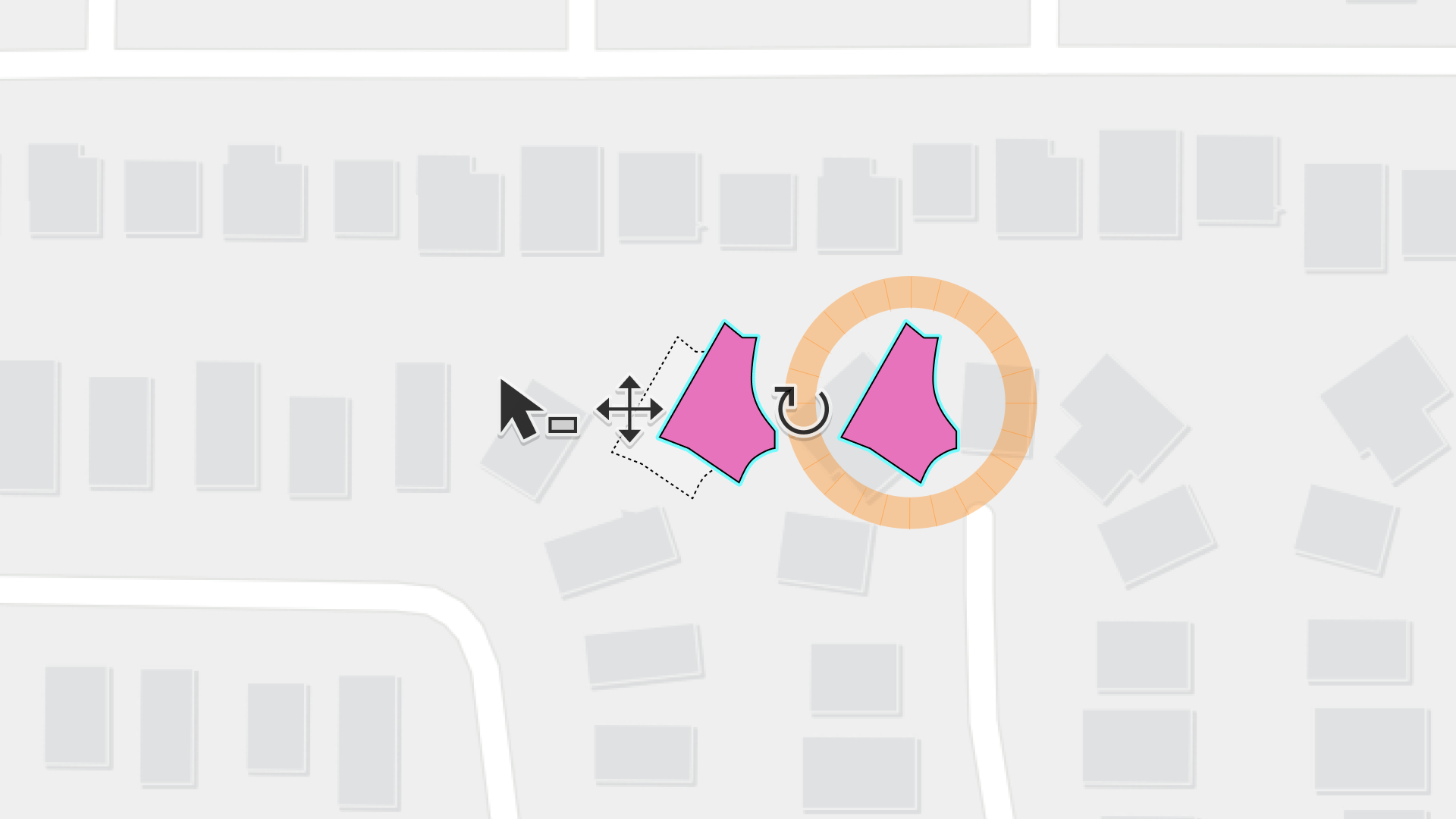
RoleProduct Designer
ScopeCursor • Handles • Geometry feedback
CollaborationCore Editing • 3D • Graphics • Design System
Timeline2025-Present
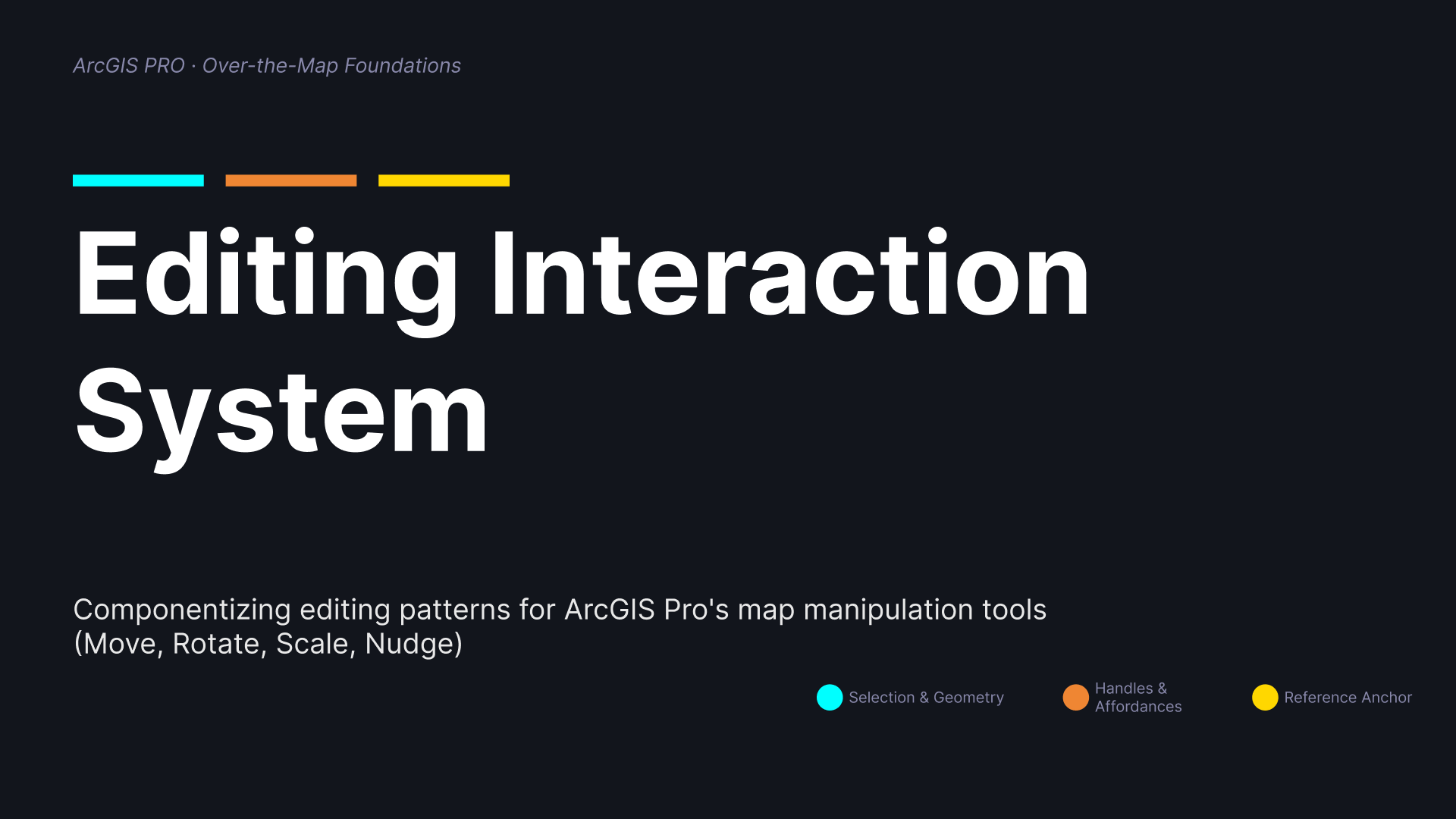
Spatial Interaction Systems
FocusArcGIS Pro is a professional GIS platform used for spatial editing, analysis, and mapping workflows across 2D, 2.5D, and 3D environments.
ContextEditing interactions evolved independently over time
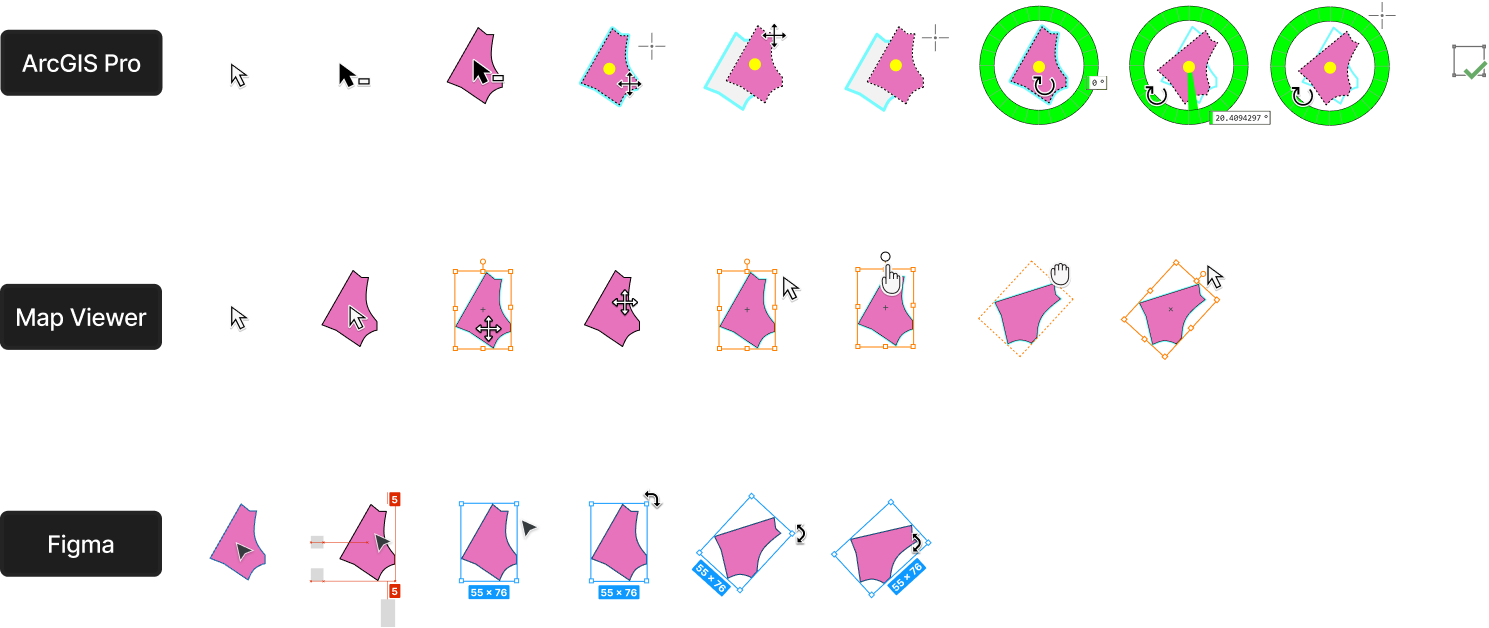
ArcGIS Pro supports a wide range of spatial editing workflows across 2D, 2.5D, and 3D environments. As tools expanded over time, interaction patterns evolved separately across domains and teams.
This created inconsistencies in:
cursor signaling
manipulation behaviors
visual feedback
interaction expectations
What started as isolated UI differences gradually became a broader interaction clarity problem.
ChallengeInteraction complexity grows across dimensions
Unlike traditional interfaces, spatial editing requires users to continuously interpret geometry, movement, orientation, and feedback directly on the map.
Small inconsistencies become more noticeable as workflows move between:
move
rotate
scale
reshape
2D and 3D contexts
The challenge was not only visual consistency, but helping users understand interaction intent more clearly.
Problem FramingFrom visual refresh to interaction clarity
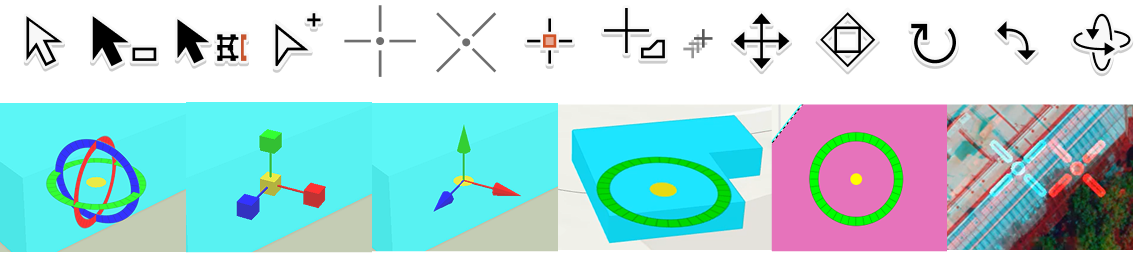
The original request focused on modernizing editing handles and cursors.
Through system analysis, the work evolved into a larger interaction architecture effort:
how interaction states are communicated
how users understand affordances
how feedback changes during manipulation
how interaction patterns scale across workflows
This reframed the project from a visual update into a systems-level interaction problem.

System MappingUnderstanding the interaction ecosystem
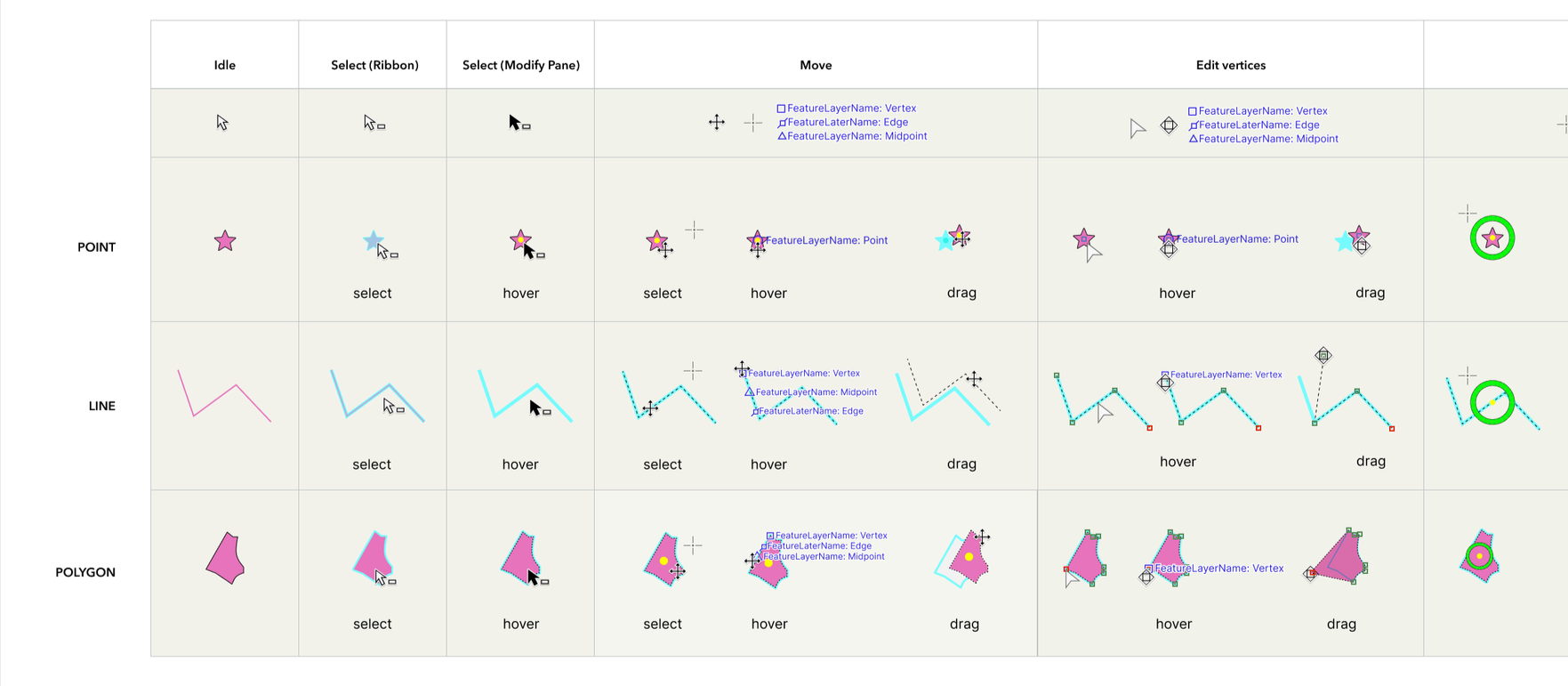
I mapped editing states across geometry types, interaction modes, and manipulation workflows to identify where patterns diverged.
This created a shared framework for:
comparing behaviors
identifying inconsistencies
discussing interaction principles across teams
The system map also helped shift conversations from isolated UI decisions to interaction structure.
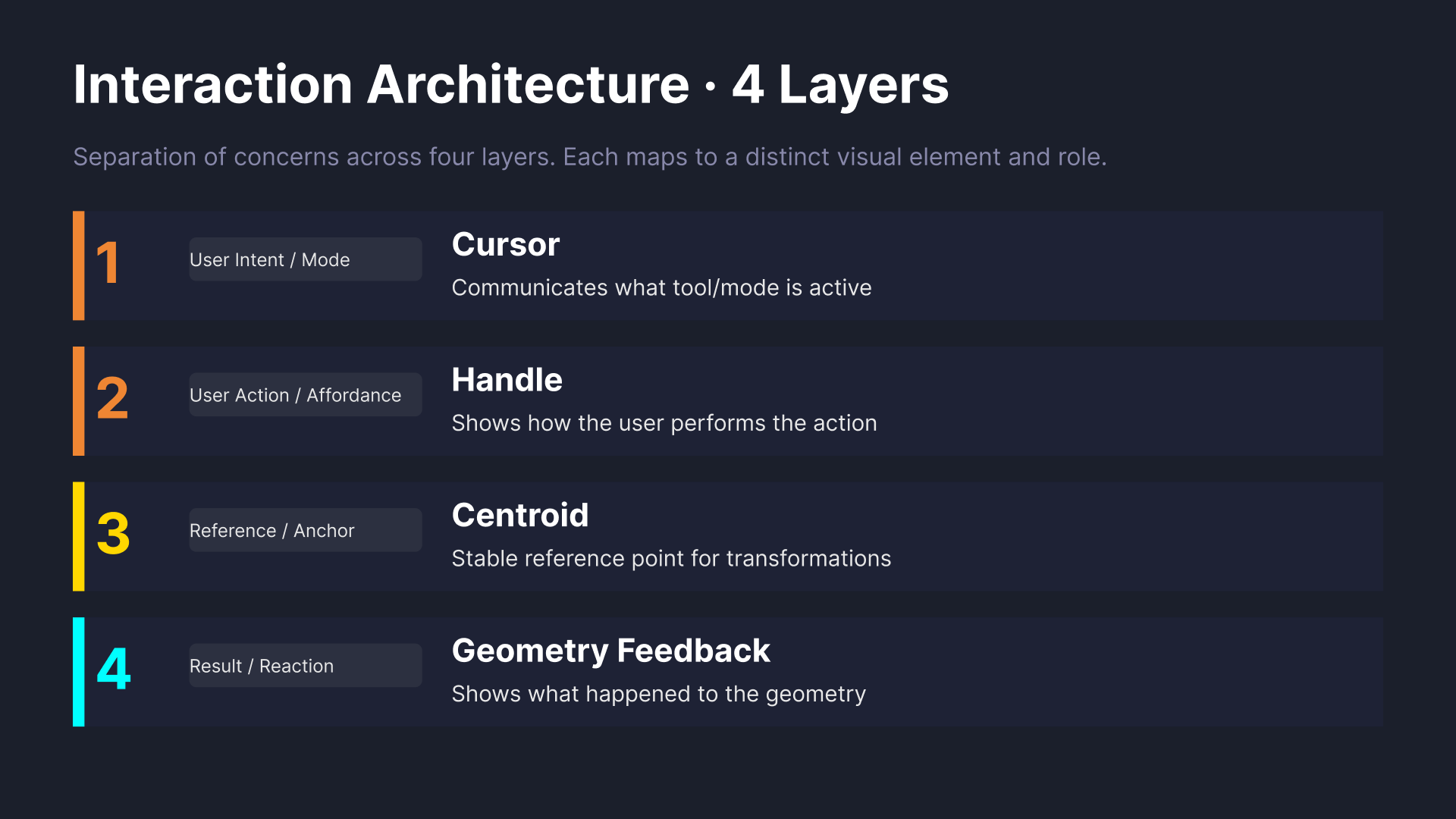
Interaction ArchitectureInteraction feedback works as a layered system
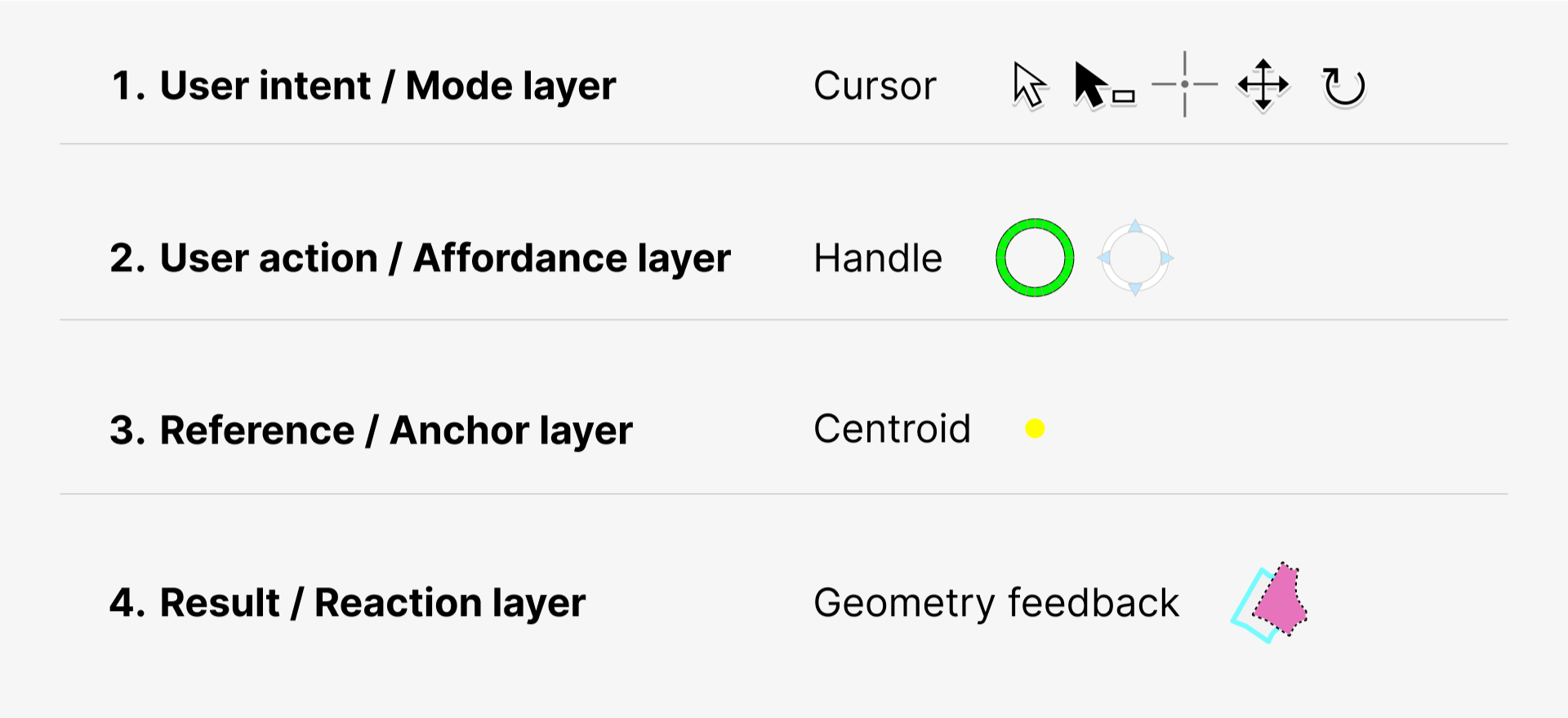
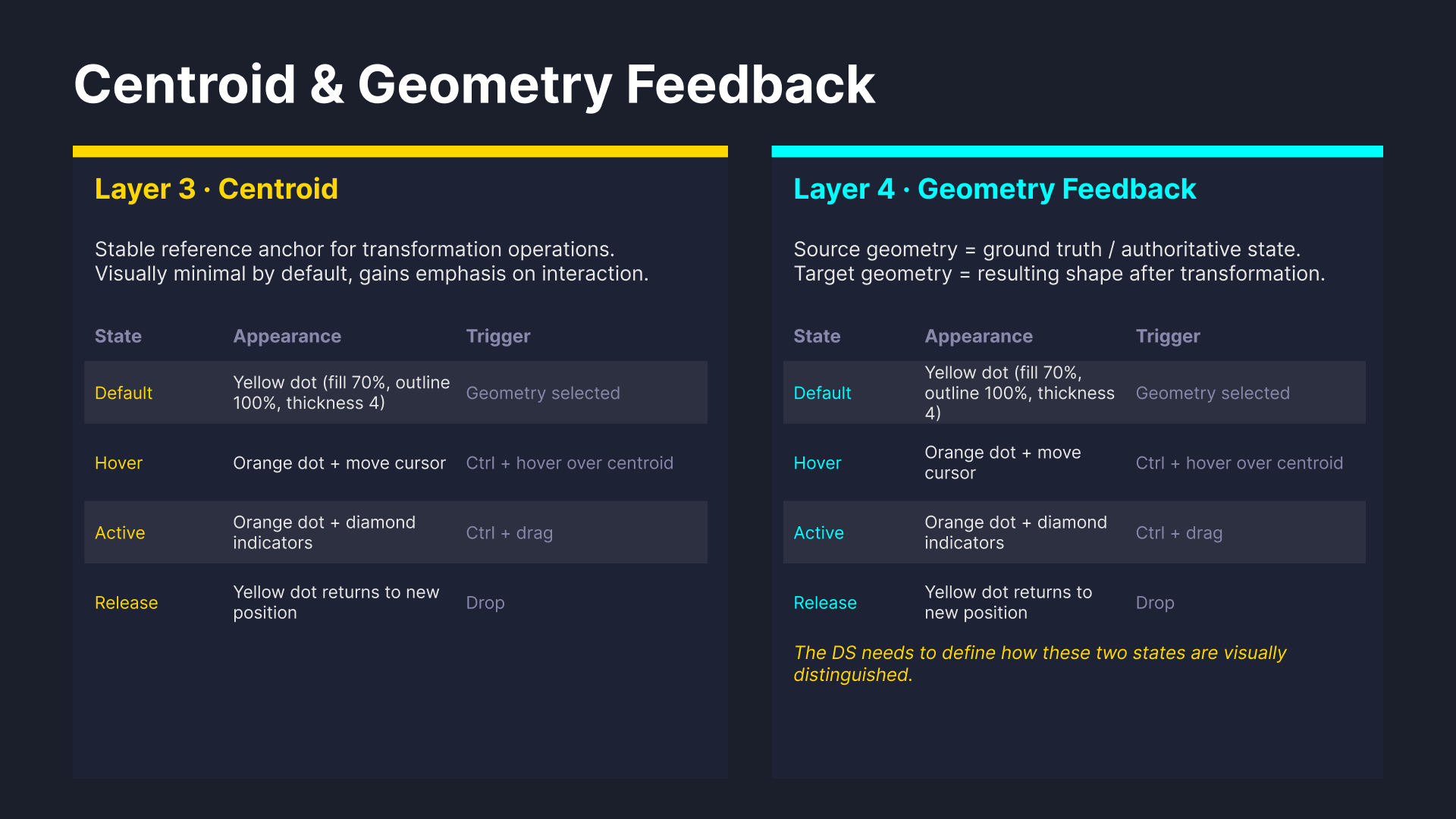
Rather than treating cursors and handles as separate UI elements, I organized interaction feedback into four layers.
This clarified the role each visual element plays during editing interactions and helped create a more scalable interaction model.
Interaction Modes
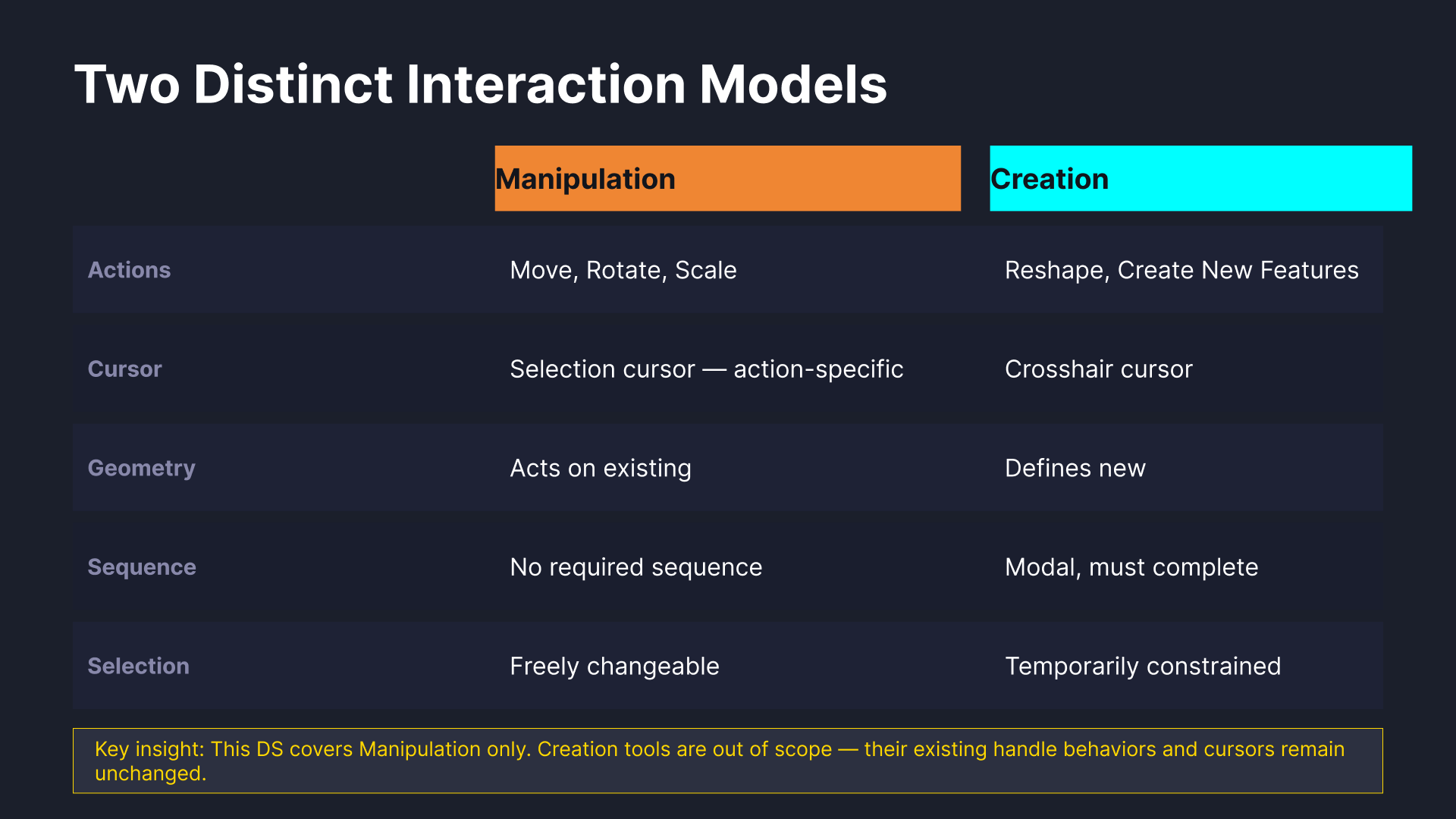
Manipulation and creation require different behaviors
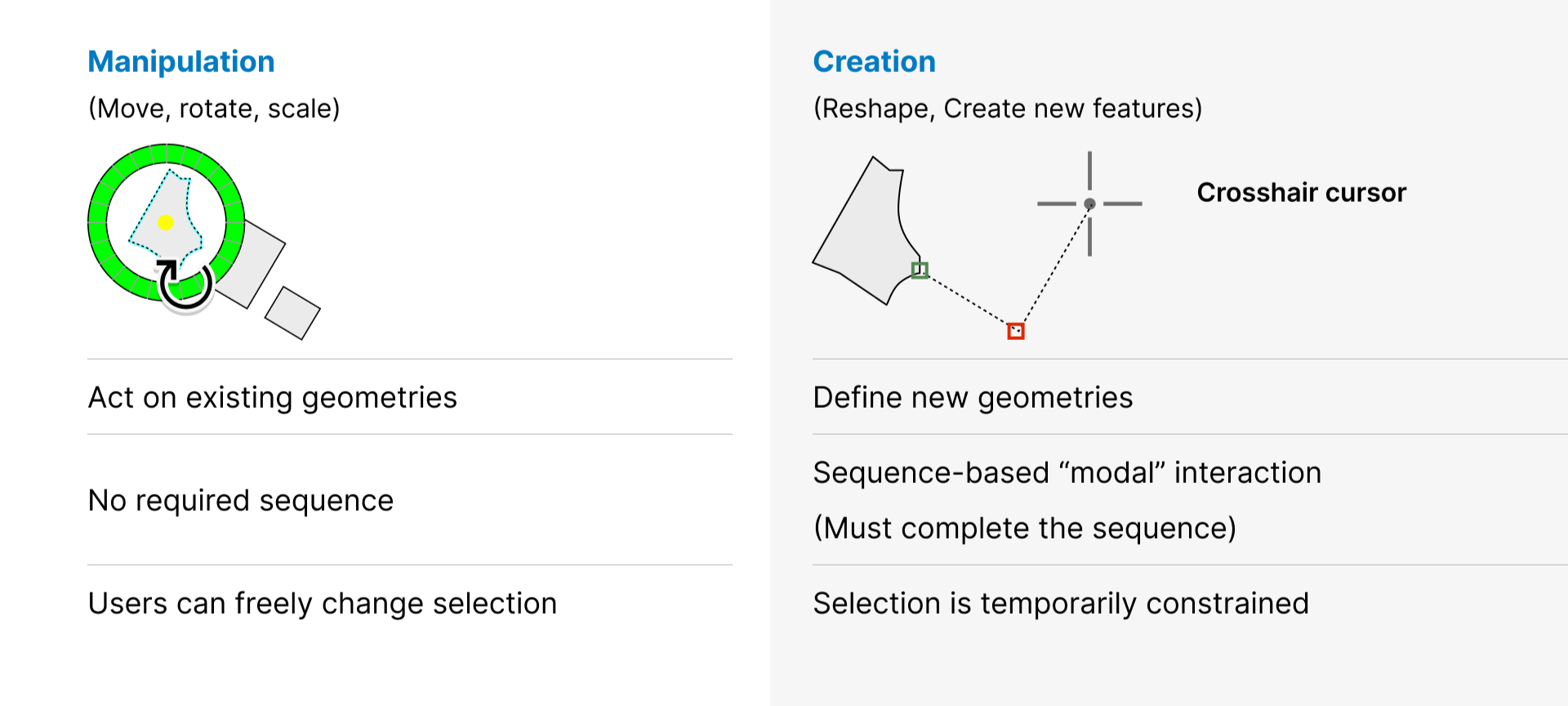
During analysis, I identified two distinct editing paradigms:
Manipulation
Users act directly on existing geometries to move, rotate and scale.
Creation
Users define new geometries through sequence-based interactions for sketching, reshaping and doing construction workflows.
Separating these modes helped clarify when interaction signals should remain persistent versus temporary.
Cursor Signaling Proposal
Aligning cursor behavior with user intent
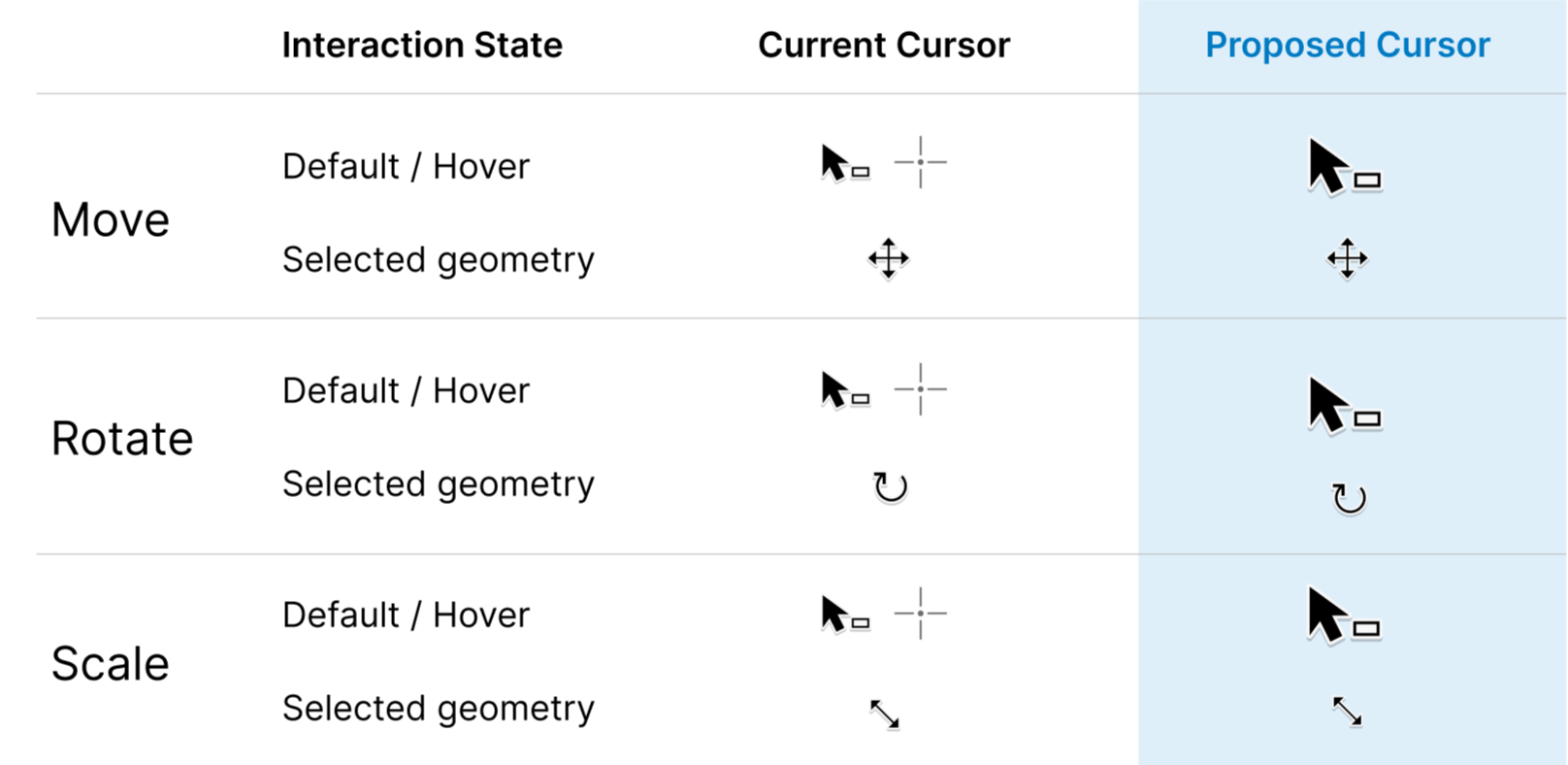
One recurring issue was inconsistent crosshair usage across editing workflows.
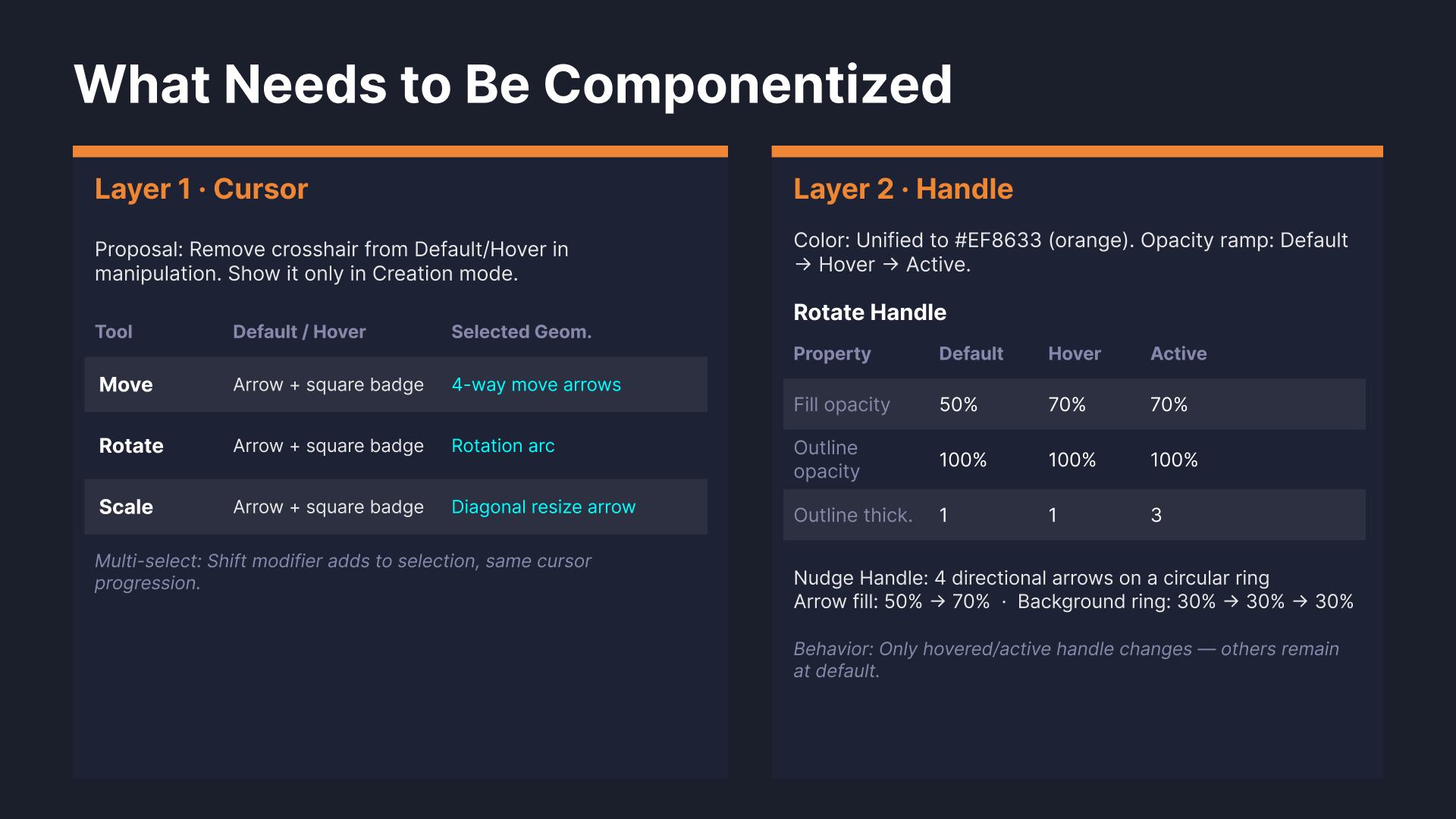
The proposal simplified cursor signaling by:
reserving crosshair patterns for creation workflows
aligning manipulation cursors with object interaction
reducing ambiguity between hover and active states
This created a more predictable relationship between cursor behavior and editing intent.
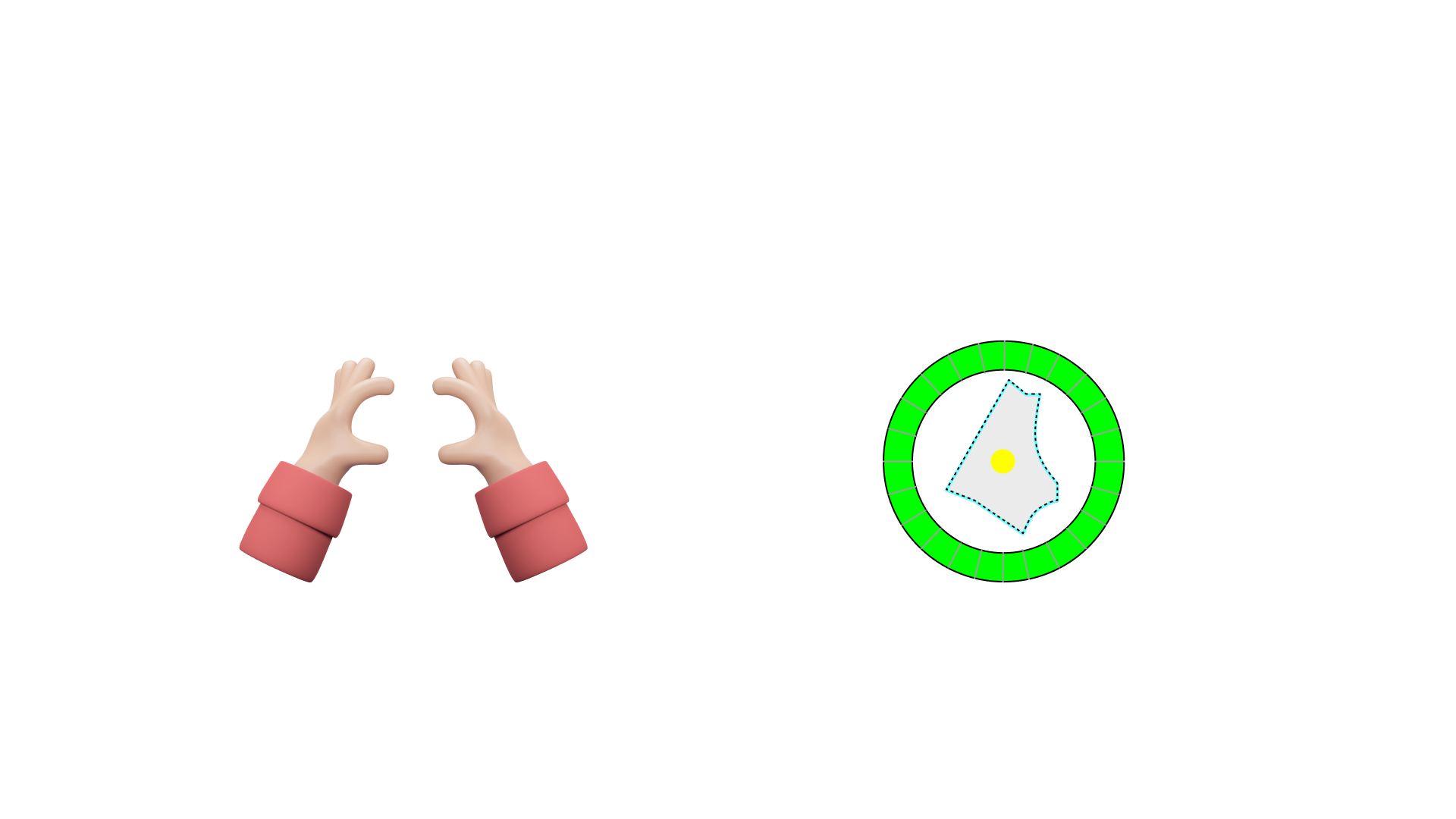
Handles are one of the most fundamental interaction patterns in spatial editing.
They act as the physical connection point between the user and geometry manipulation.
Existing Patterns
Existing handle behaviors evolved independently
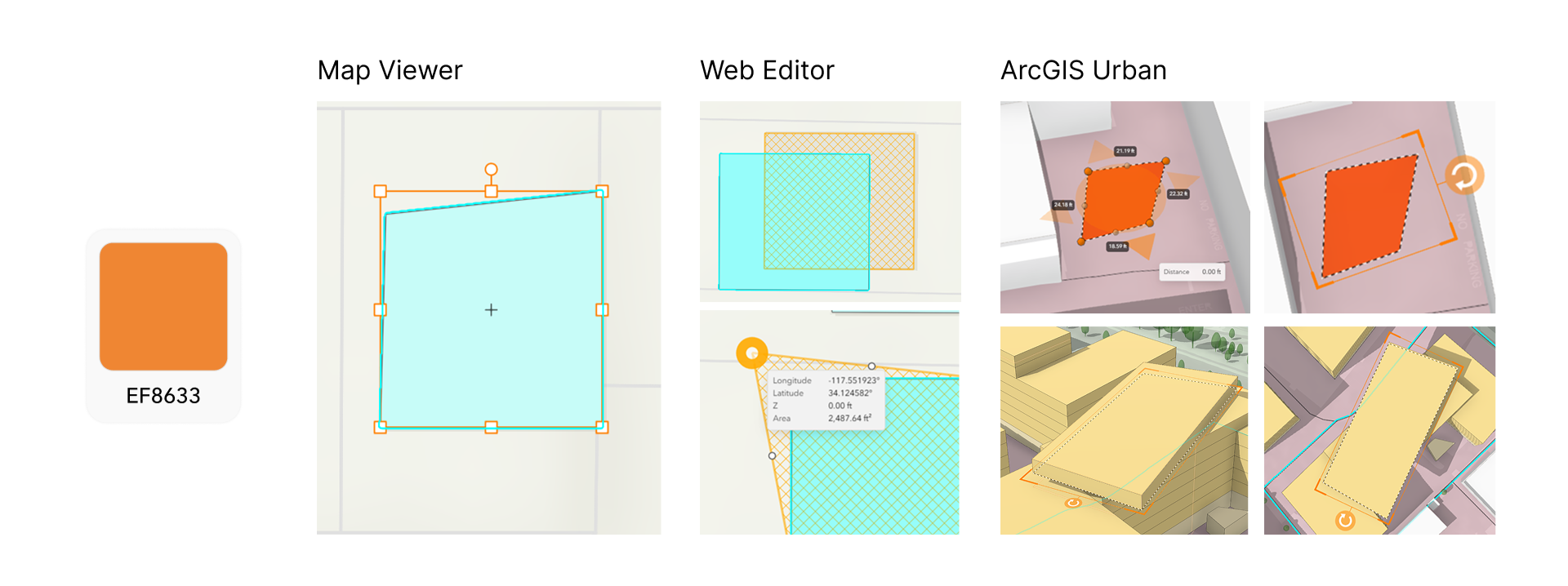
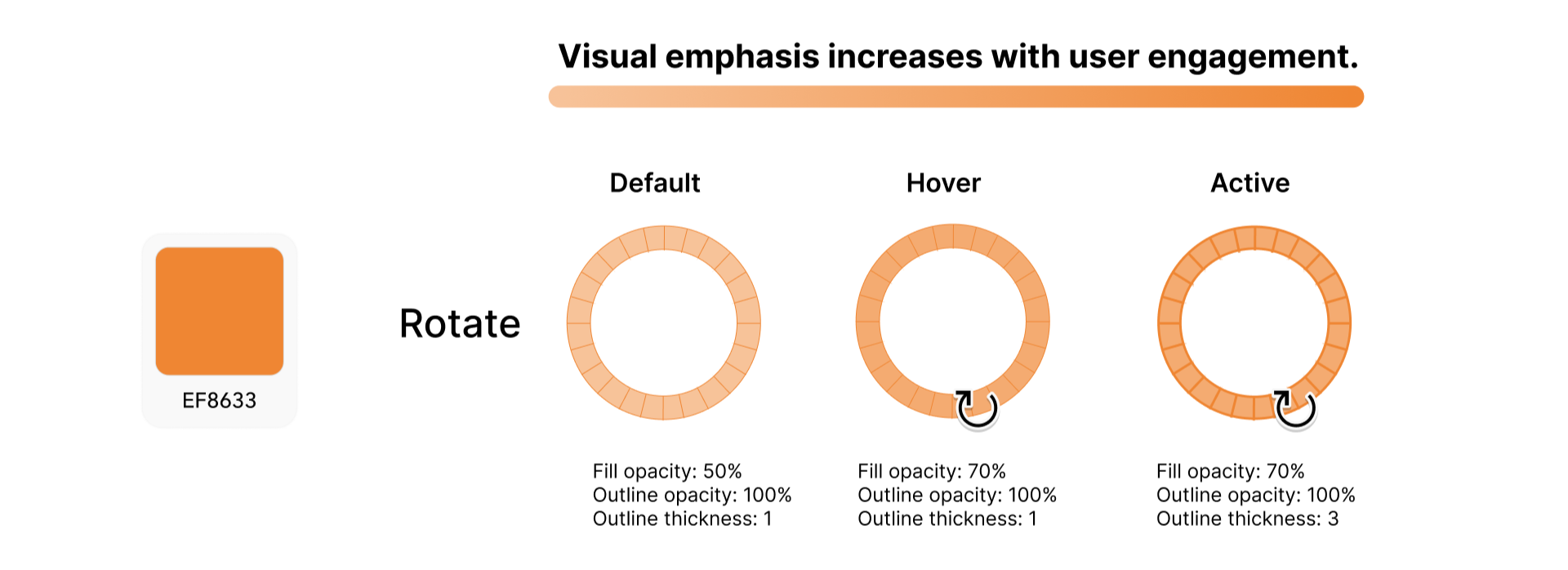
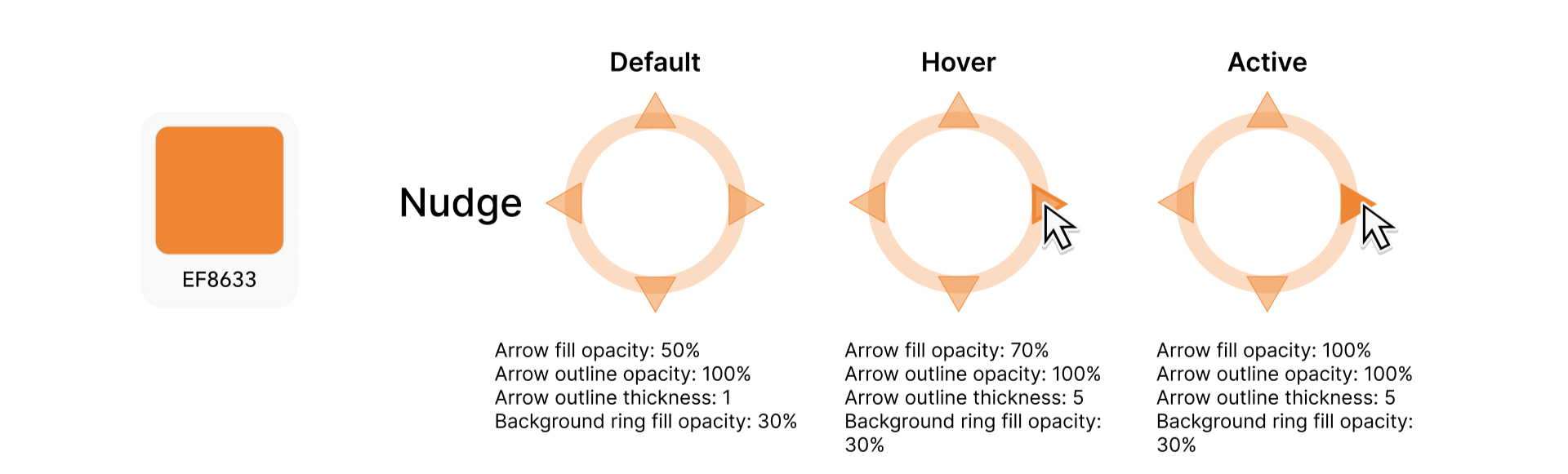
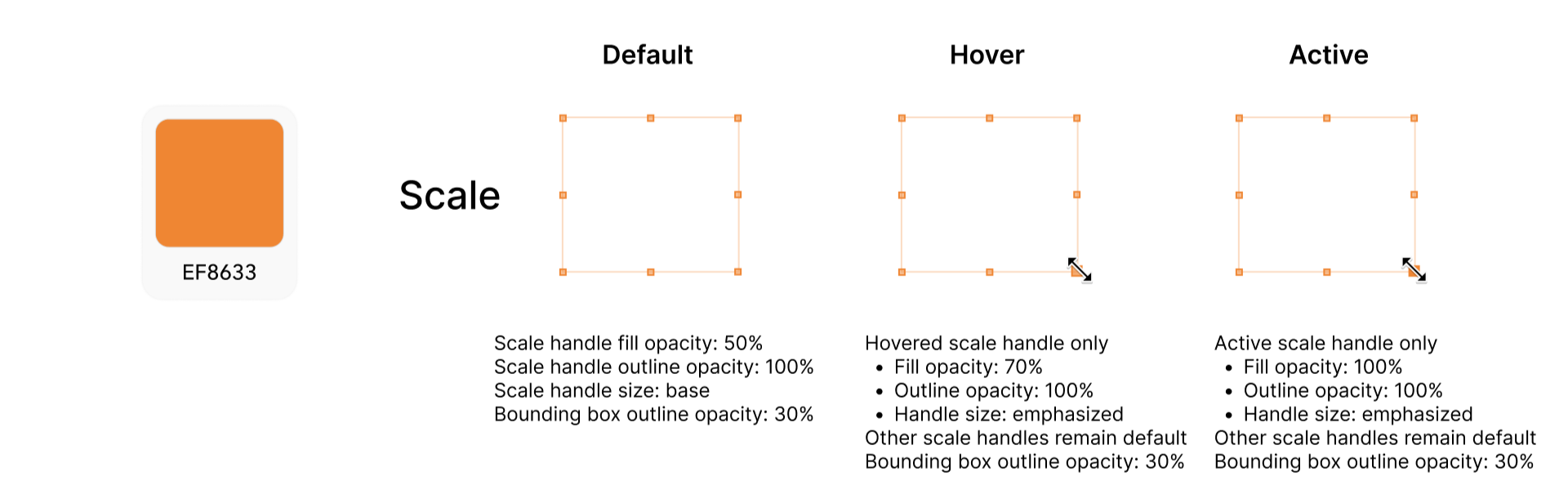
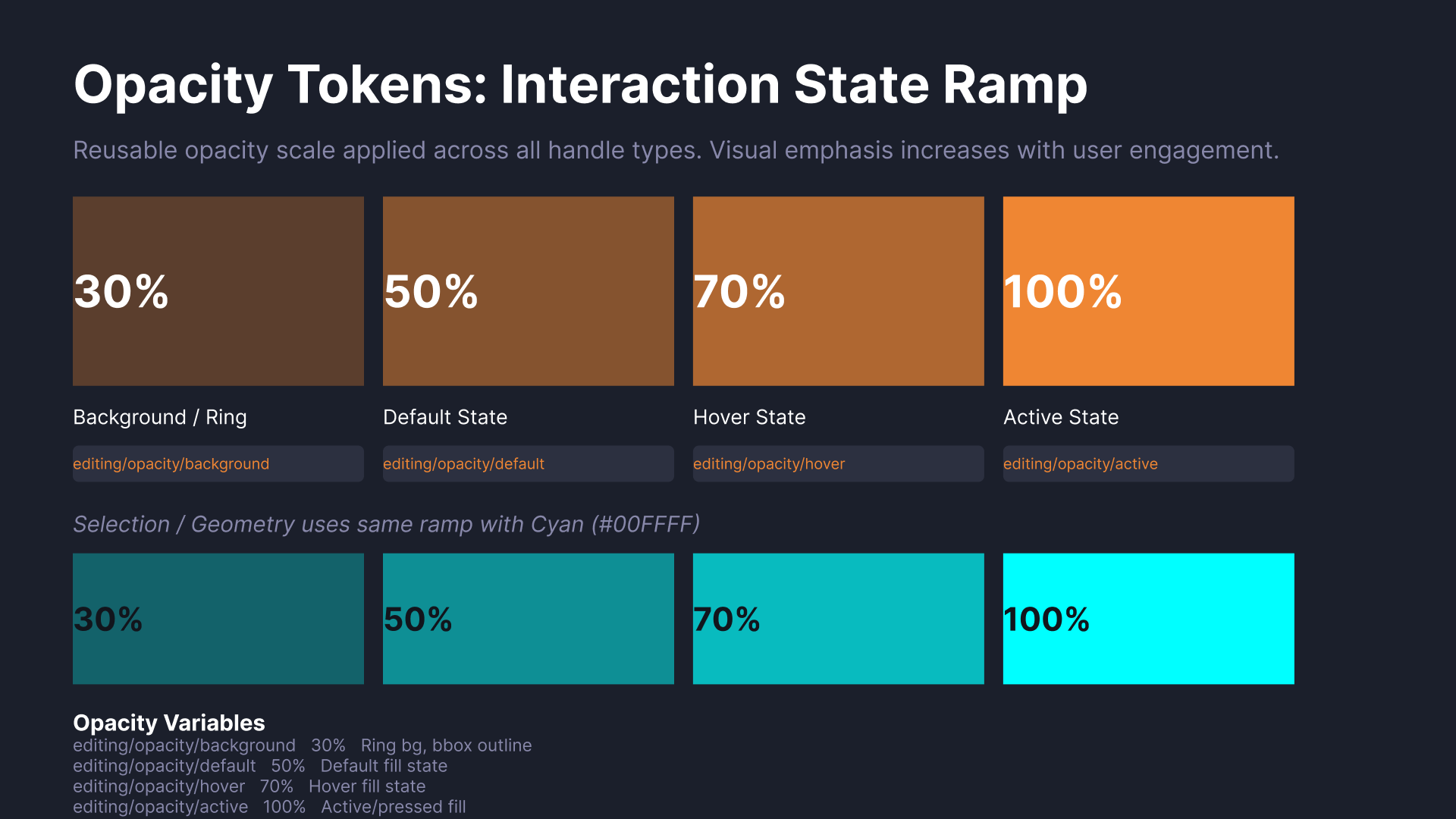
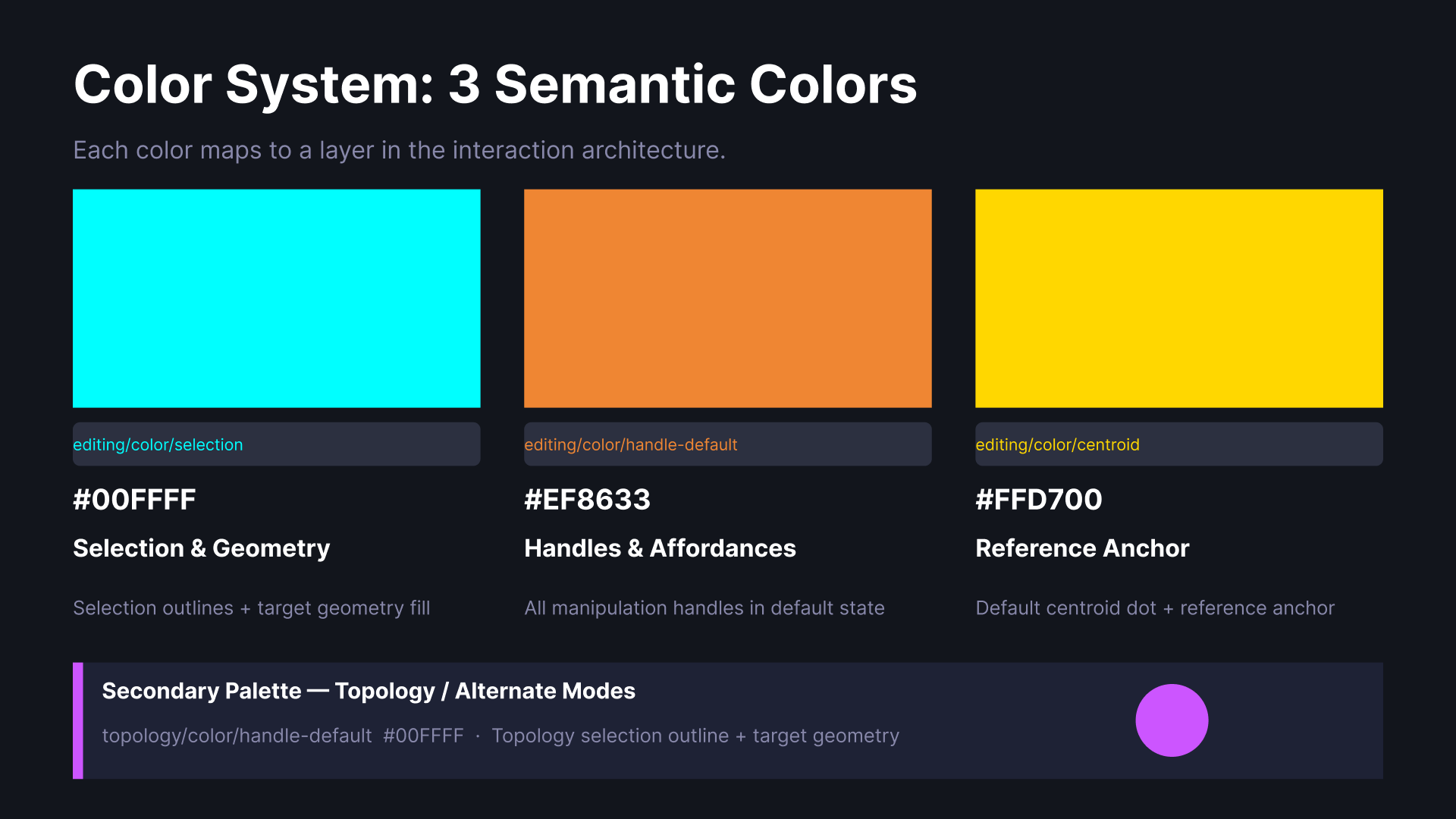
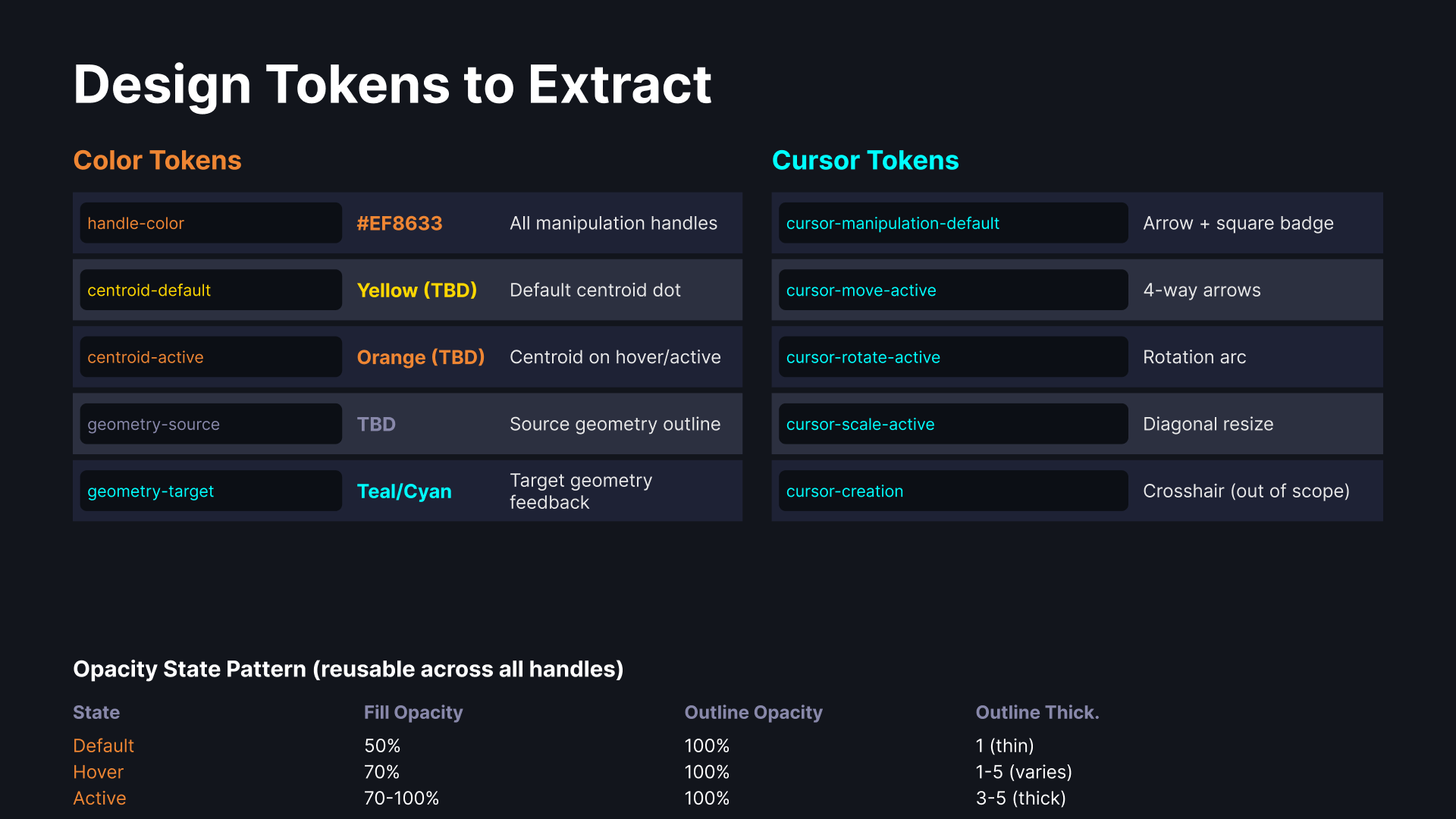
ArcGIS Online products had already established orange as a transformation state color across several editing workflows.
Rather than introducing a completely new visual language in Pro, the proposal extended existing interaction conventions to create stronger consistency across the ecosystem.
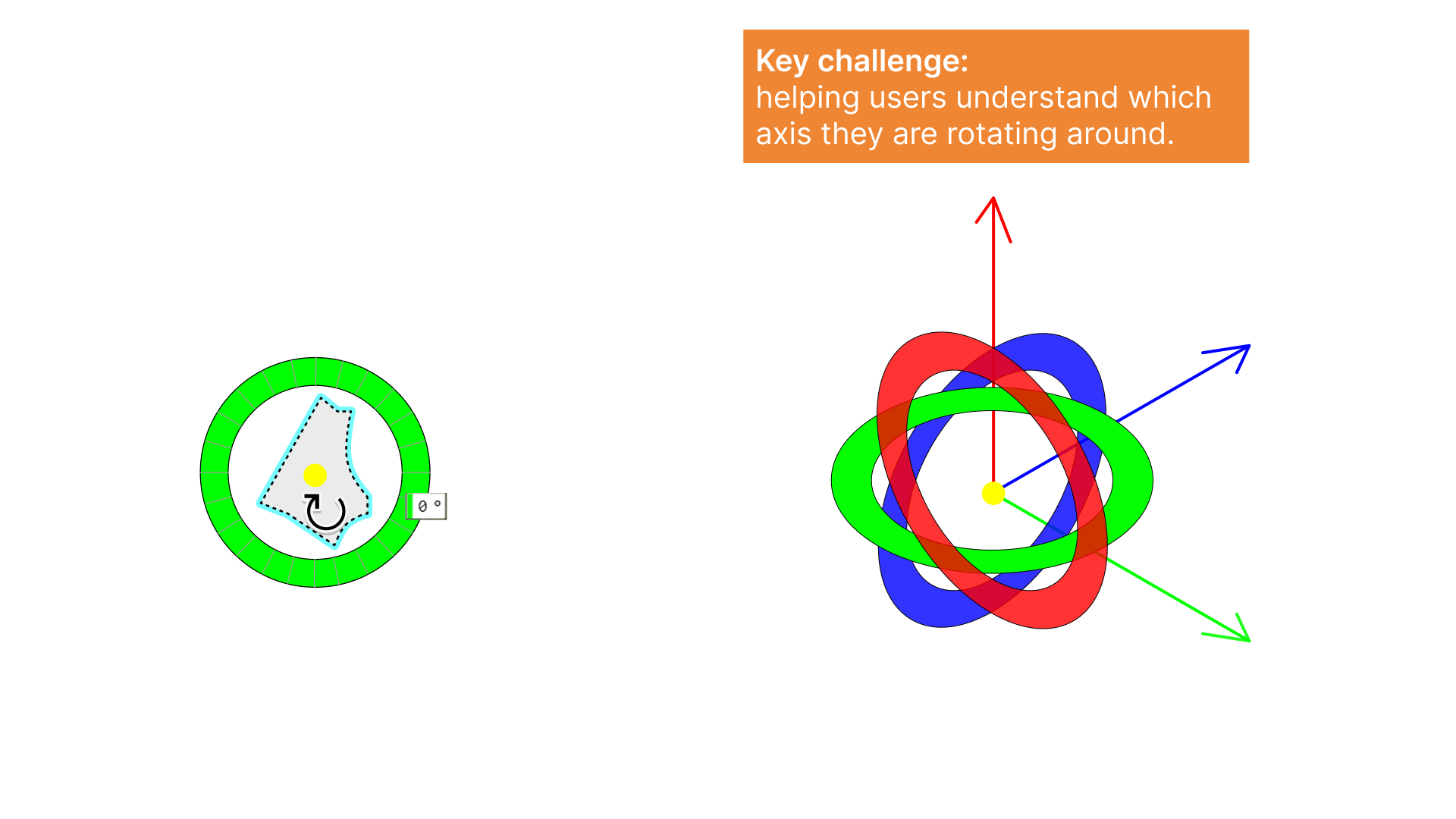
Handles are one of the most fundamental interaction patterns in spatial editing.
They act as the physical connection point between the user and geometry manipulation.
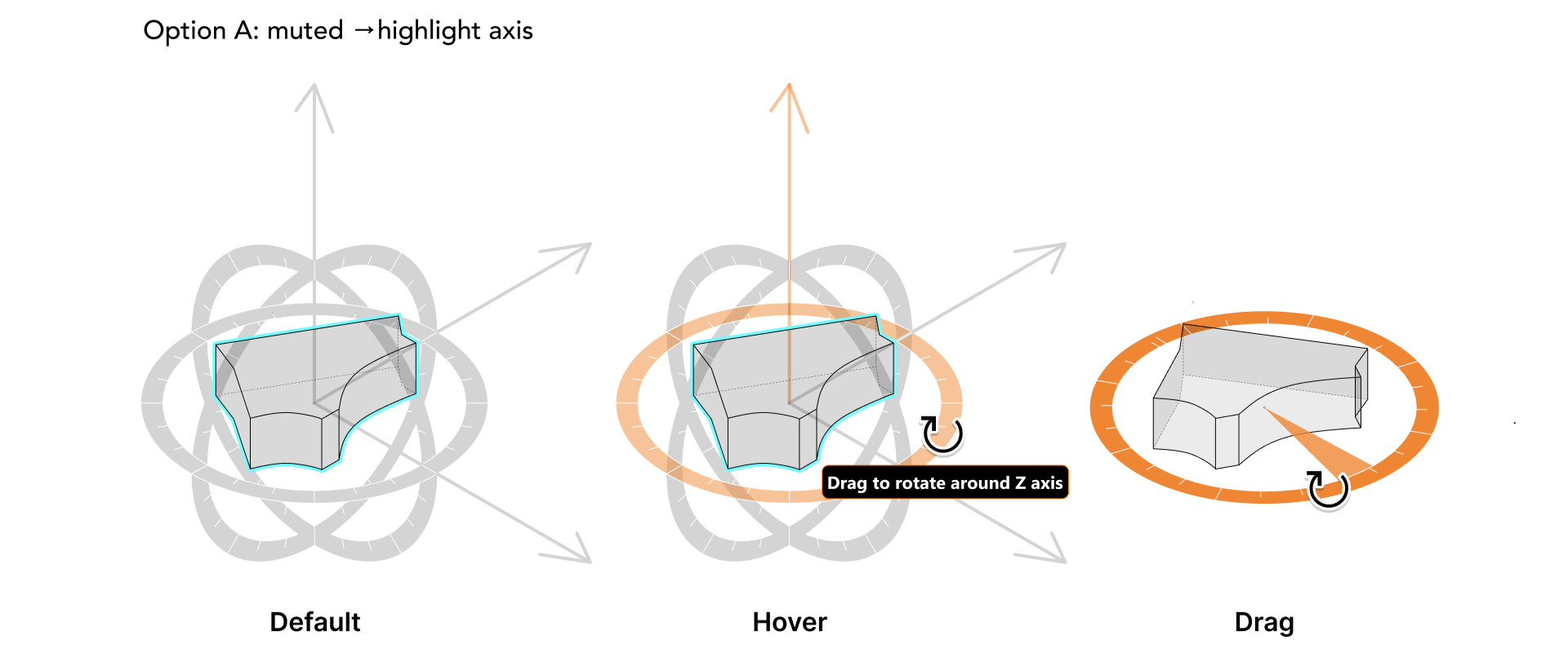
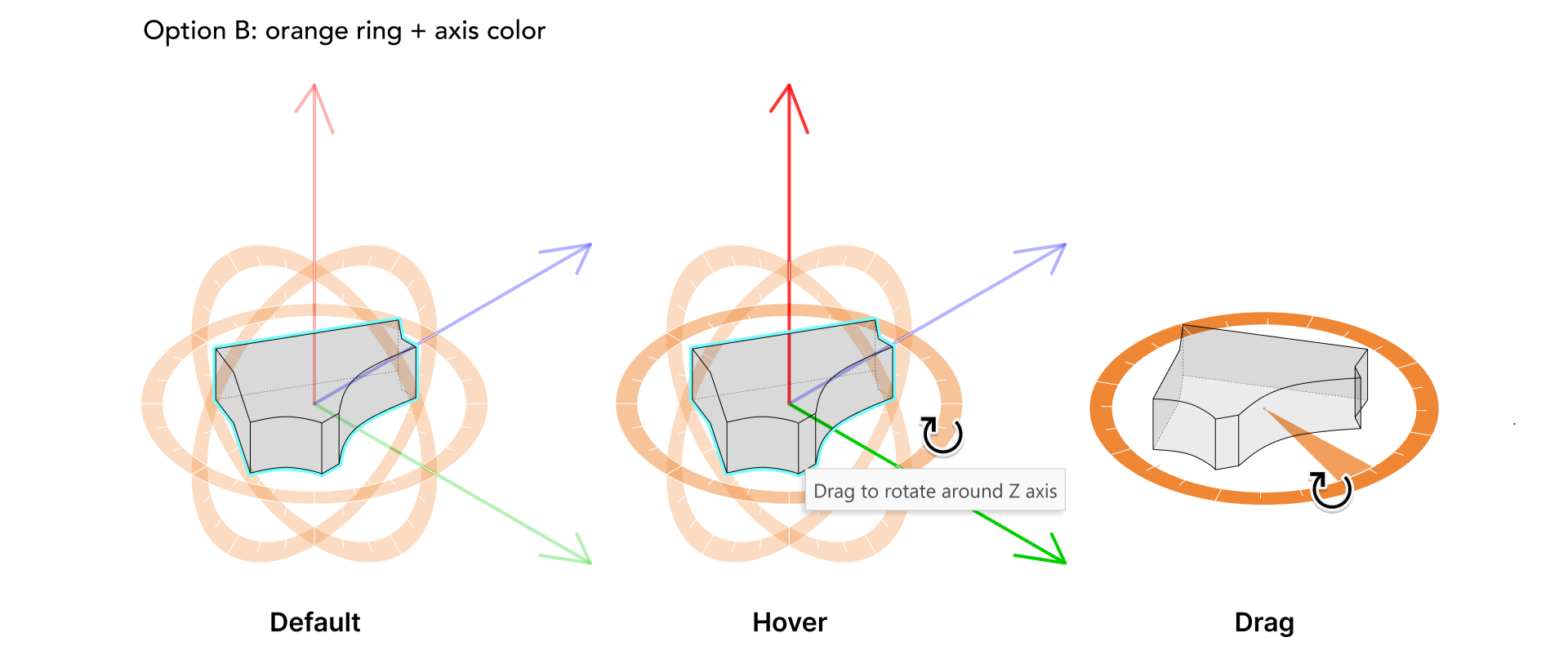
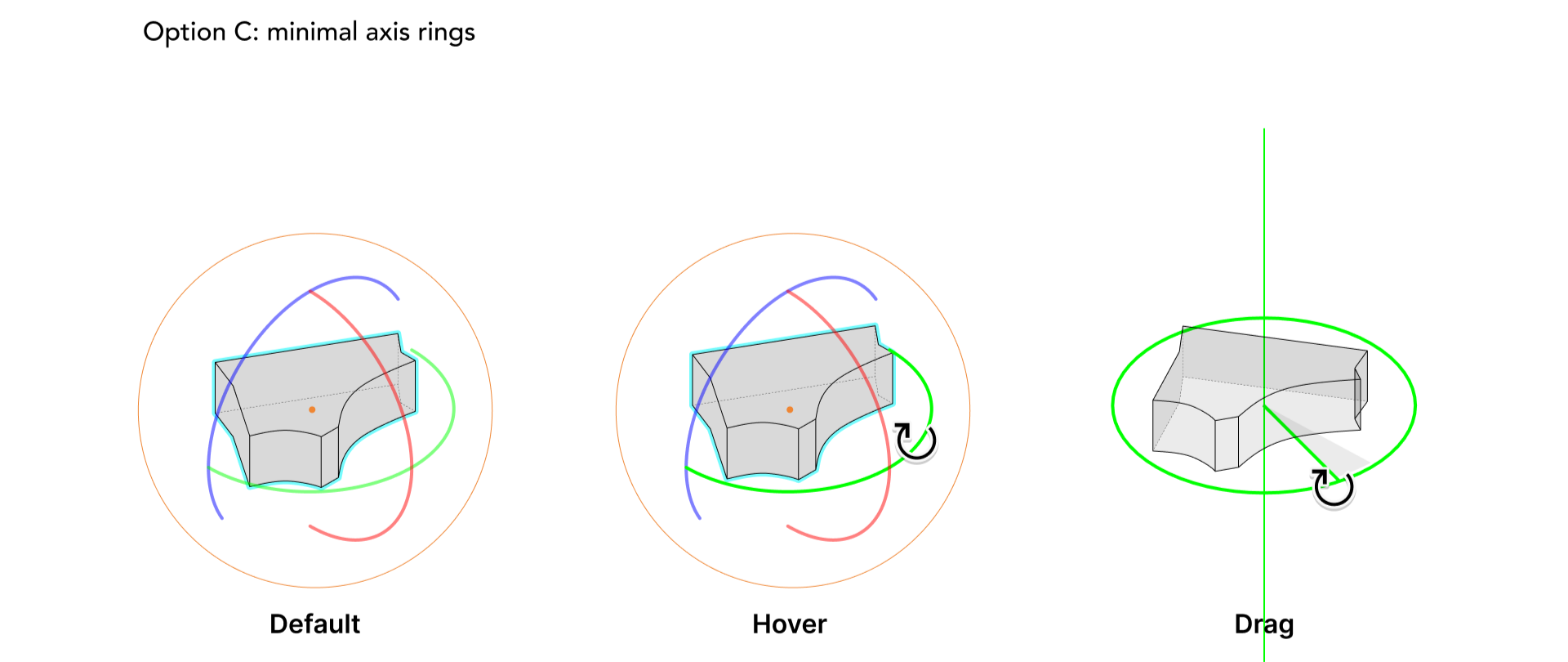
Extending into 3DMoving from planar rotation to axis-based rotation
In 2D workflows, rotation typically happens within a plane.
In 3D environments, users must additionally understand which axis they are rotating around.
Design principles:
Represent rotation axis clearly
Maintain consistency with 2D interaction
Minimize visual clutter in 3D
Support precise manipulation
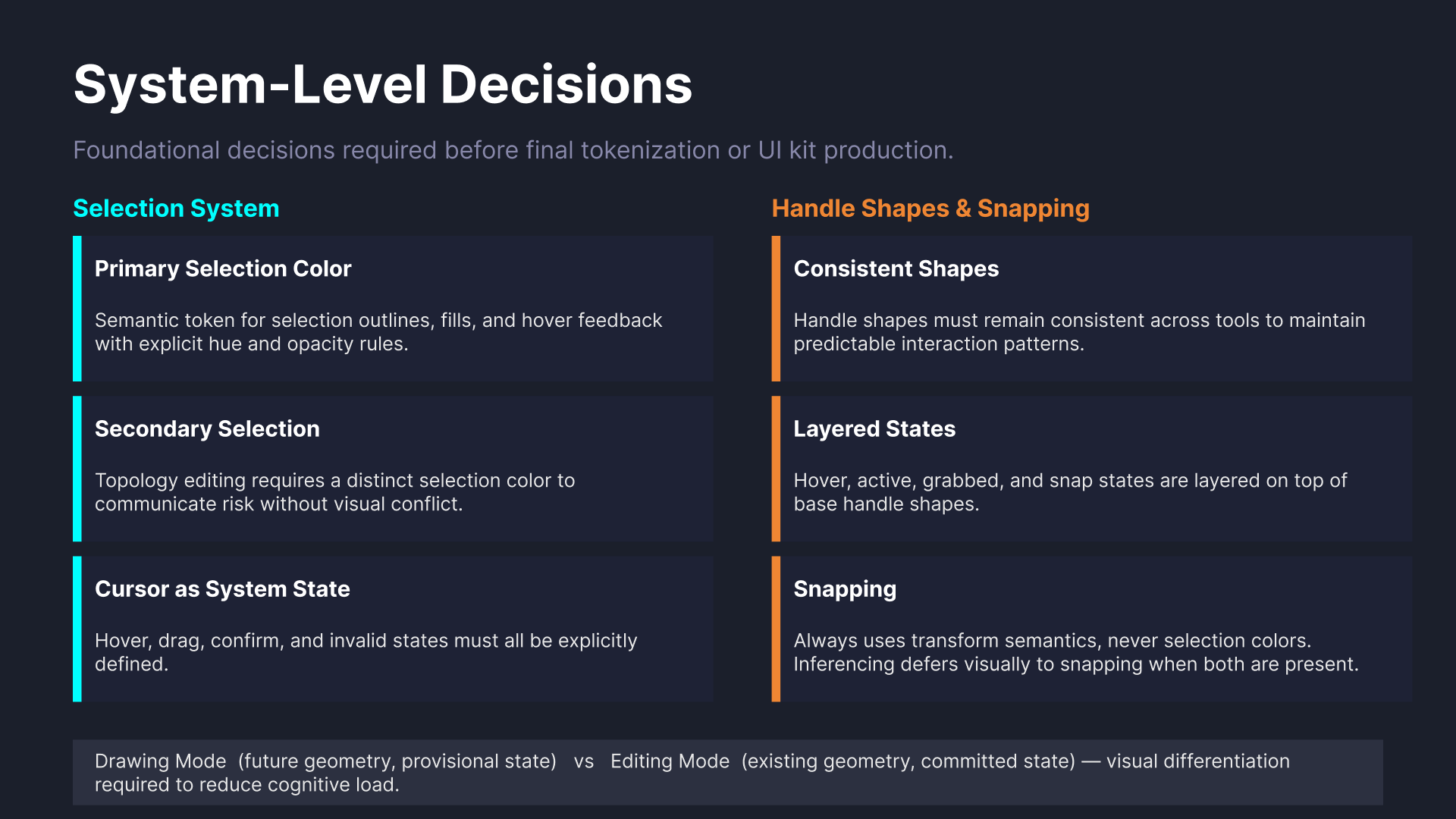
Design System IntegrationContributing interaction patterns into the design system
To support long-term consistency, these interaction patterns were later documented as reusable system behaviors within the design system.
The documentation helped establish a more shared spatial interaction vocabulary across editing and platform teams.
ReflectionDesigning interaction systems across dimensions and teams
What began as a visual refresh gradually evolved into a broader interaction clarity and system consistency initiative.
More than optimizing individual cursors or handles, the project focused on building a clearer and more coherent interaction language across workflows, dimensions, and teams.